If you are a guest on a mission

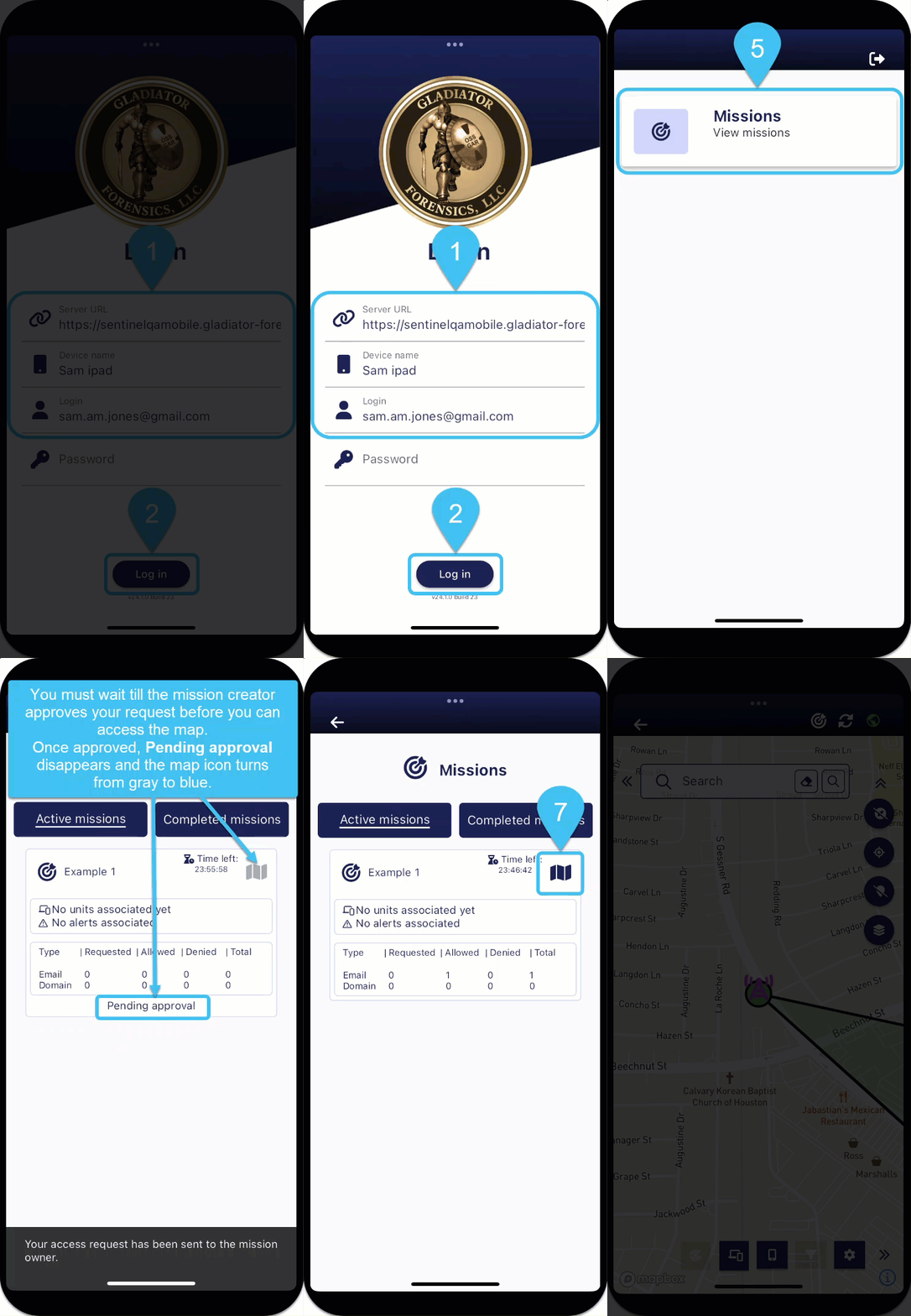
You can still have limited access to a mission without having a login for the OSS-ESPA account the mission is on. This allows you to view the most recent location of the devices being tracked and the most recent location of other units on the mission.
-
In Server URL, enter the URL for your G-Scout App.
-
In Device name, enter a name to identify your device, for example "Sam Jones Phone".
-
In Login, enter your email address.
-
As a guest you do not have a password so now tap Log in.
A pop-up displays informing you that a log in code is being sent to your email. Once received, you can now enter it in Password then tap Log in.
The Home page is displayed.
-
Tap Missions.
The Missions screen opens listing all missions that you can request to join. The missions that are listed for you to join are based on either your email address or the domain of your email address.
-
Tap Request access for a mission you want to join. Pending approval is now displayed until your request to join the mission is either approved or denied by the mission creator.
-
Once your request is approved you can tap
 to access the mission on the Sentinel mission map screen.
 If the mission creator denies your request Access denied is displayed and you are unable to open the Sentinel mission map screen. If you still believe you require access you must contact the mission creator.
-
To view a phone's last known location:
-
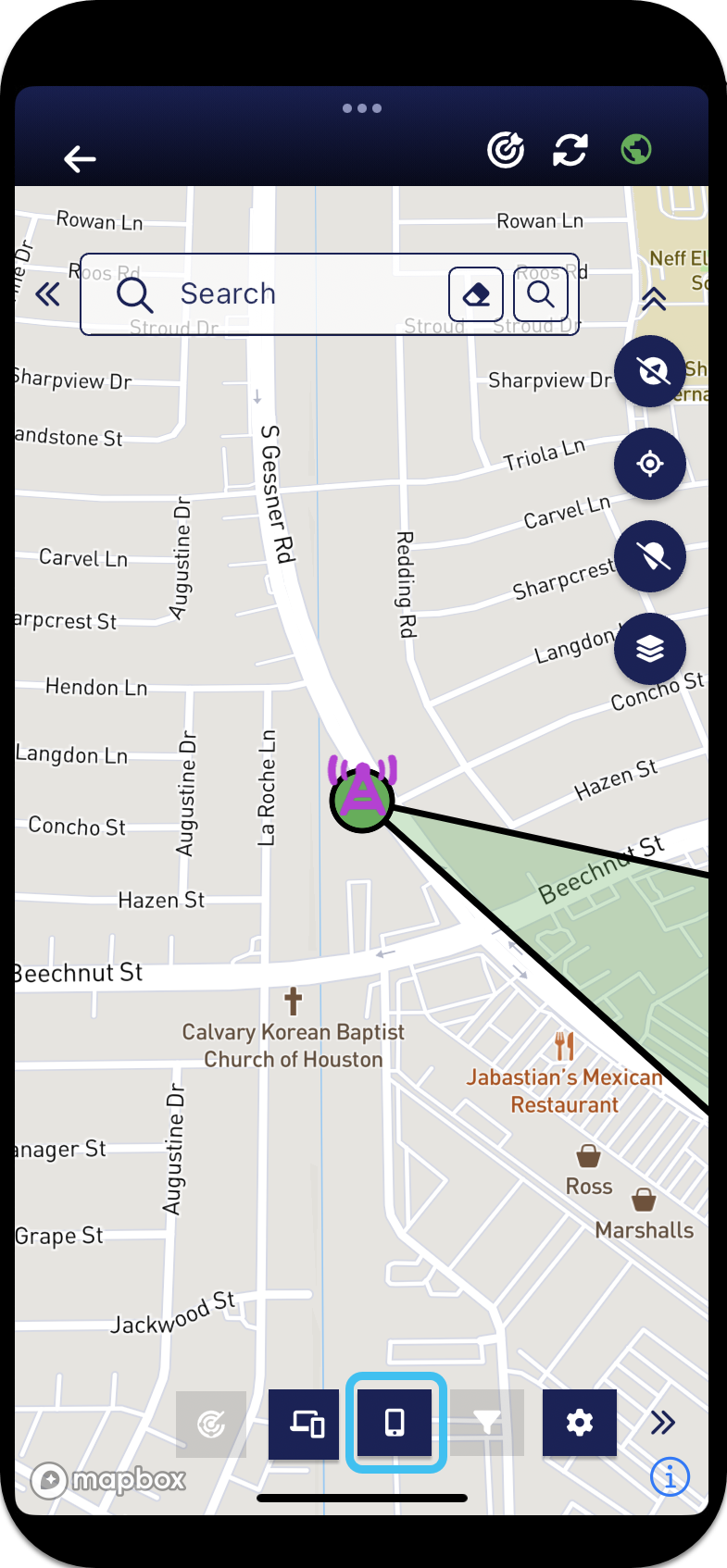
At the bottom of the screen, tap
 to open the Phones panel.
-
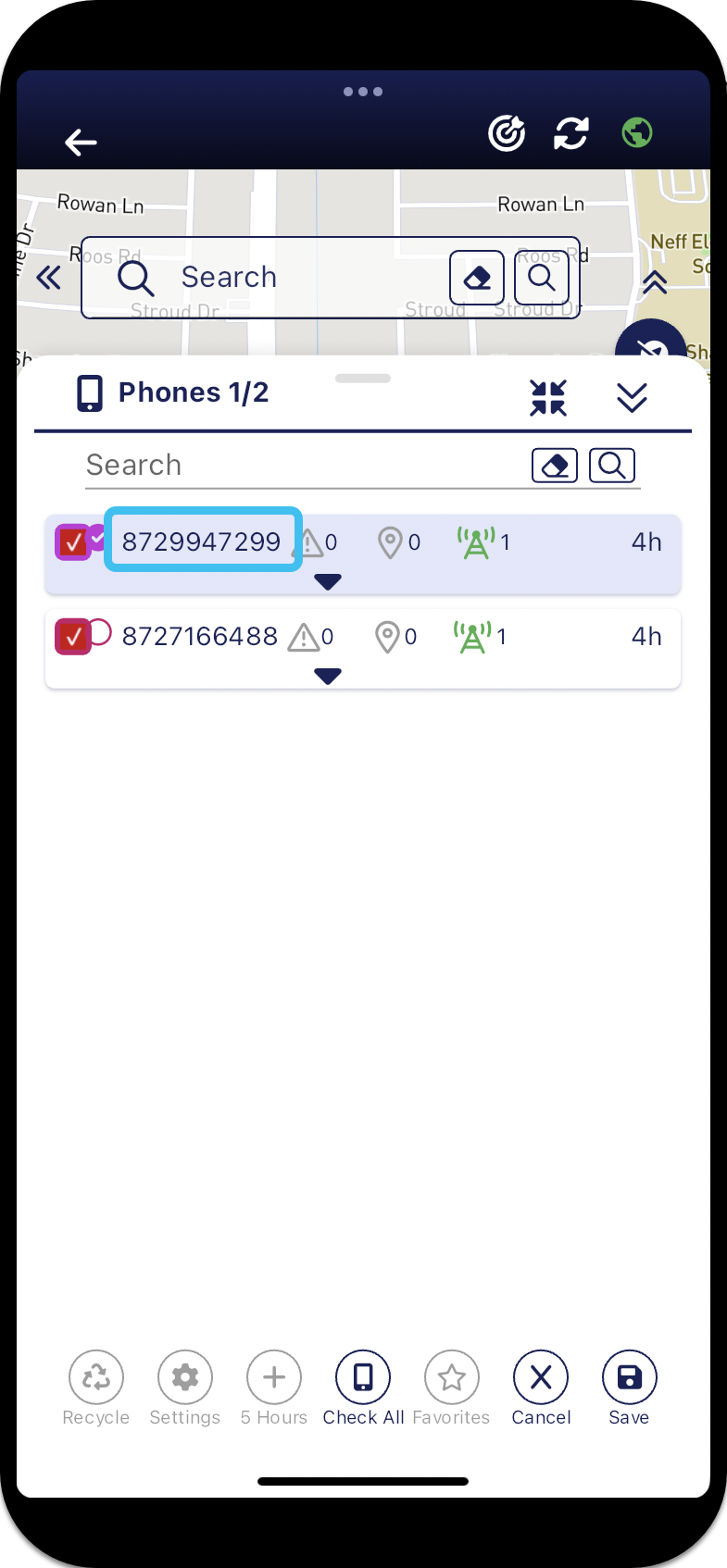
Tap the phone number for the phone whose last known location you want to view.

The map zooms to that location.
-
-
To view a phone's last and most frequent events during the allowed time period:
-
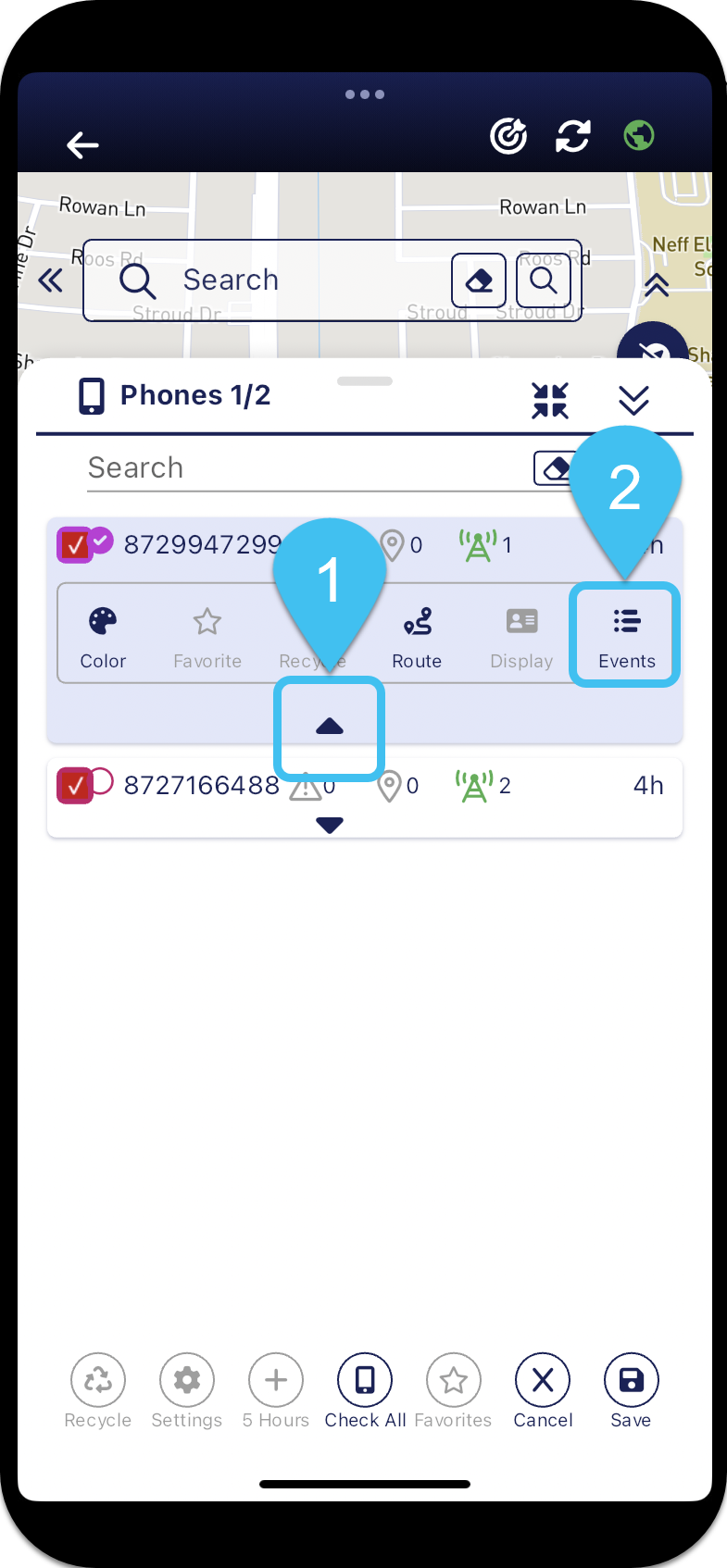
On the phone's row tap
 , then tap
  .
. 
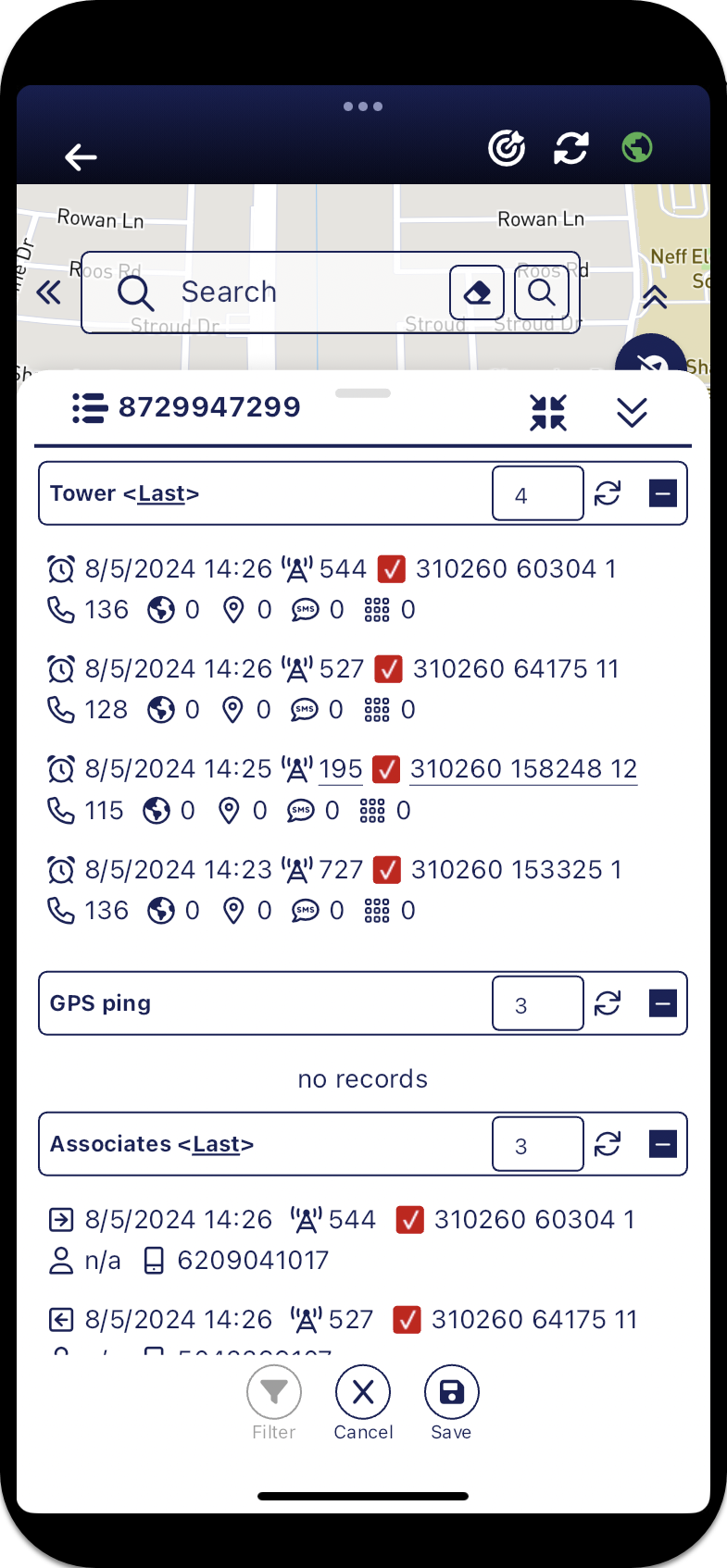
The phone's Events panel opens.

-
-
As a guest you can do other tasks such as change the color used to display the phone's data, create a navigation route to the most recent event, and create a navigation route to another field unit, however the features listed below are not available to you if you are logged in as a guest.
 What can I not access as a guest?
-
the
 and the
  buttons are disabled, so you cannot open the Filter panel or SDR panel respectively.
 -
the
 button is removed from top-right of Sentinel mission map screen, so you cannot open the User preferences panel.
 -
on the Units panel,
 and
and  are disabled. You can recycle and show your own trail but for all the other units you cannot as
  and
and  are disabled. This means you can only see the last location of the other units.
 -
on the Phones panel you cannot change the time period displayed, it remains at time period the mission creator set in the mission's History setting.
, ,  and
and  at the bottom of the panel are all disabled. For each phone
  ,
,  and
and  are disabled. You can only view the last event for each phone, any previous events during the time period displayed are not available for you to view. When you tap to open the Events panel you can only view the events during time period the mission creator set in the mission's History setting.
-