How to create navigation routes
The G-Scout App allows you to quickly create navigation routes to: the most recent event, any previous event, a Smart Track alert

 How to create a navigation route to the most recent event
-
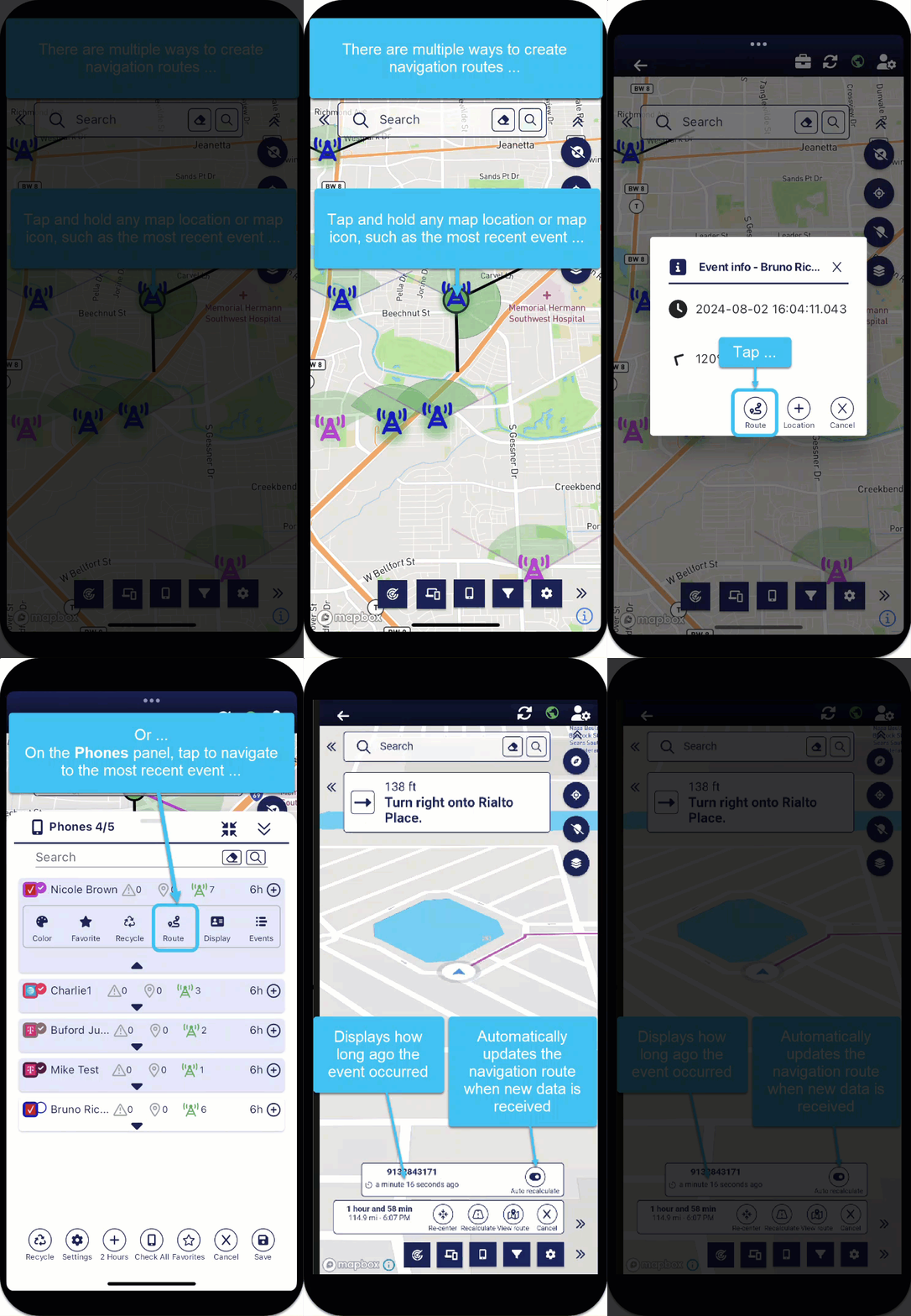
You can create a navigation route to the most recent event using two methods, either by directly tapping on the map's event icon or from the Phones panel:
-
From the map's event icon:
-
On the map, tap the most recent event.
A pop-up opens.
-
Tap
 . The pop-up closes.
-
-
From the Phones panel:
-
On the bottom of the screen, tap
 . The Phones panel opens.
 - Tap
 for the phone you want to create a navigation route to.
 - Tap
 .
. -
Tap
 to close the Phones panel.
-
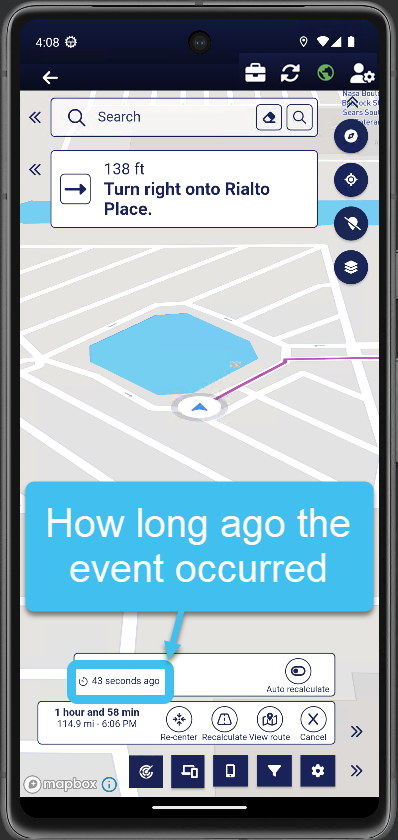
The navigation route is displayed on the map along with the time of the latest event received which gives you an idea of how long ago the event occurred.

-
-
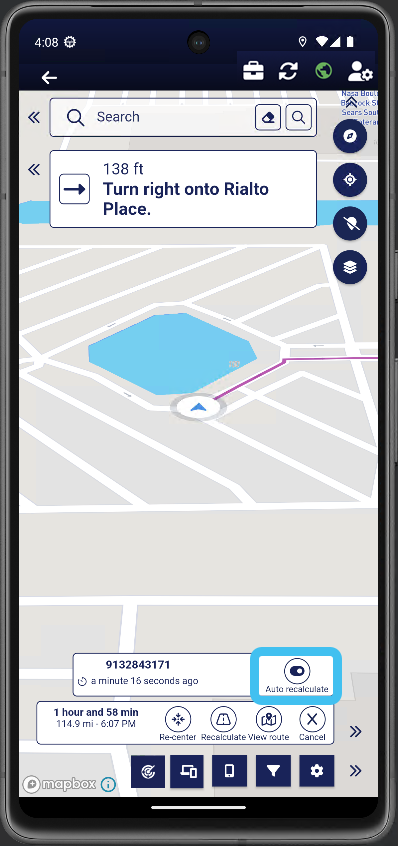
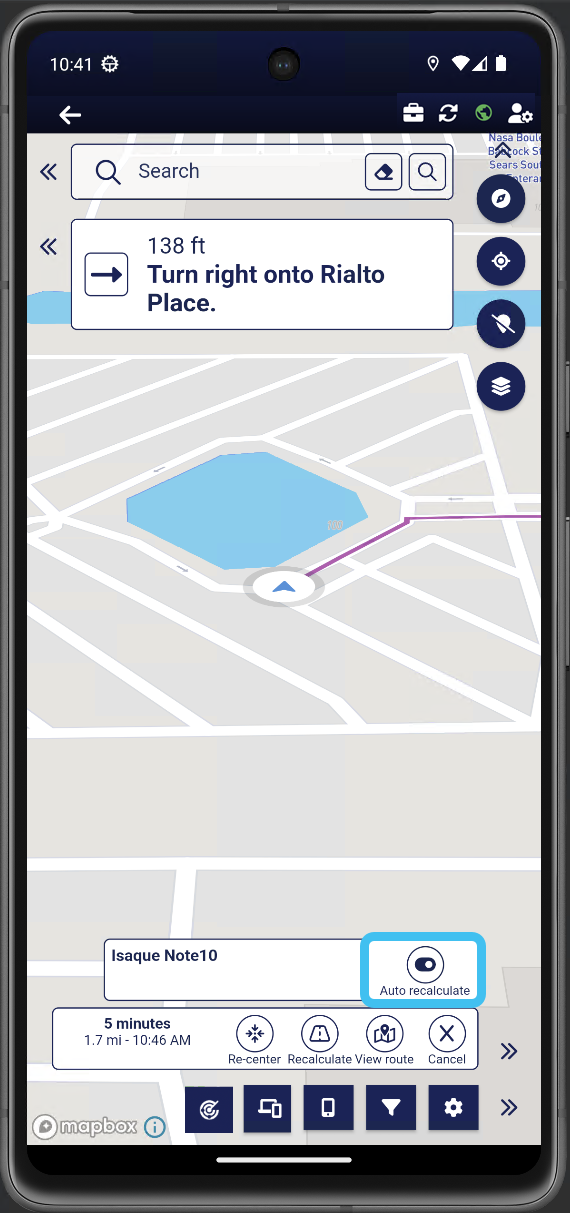
If you want the navigation route to be automatically updated each time a new event occurs, then enable Auto recalculate. The recalculation only occurs if the new event is 500m or more from the last.

-
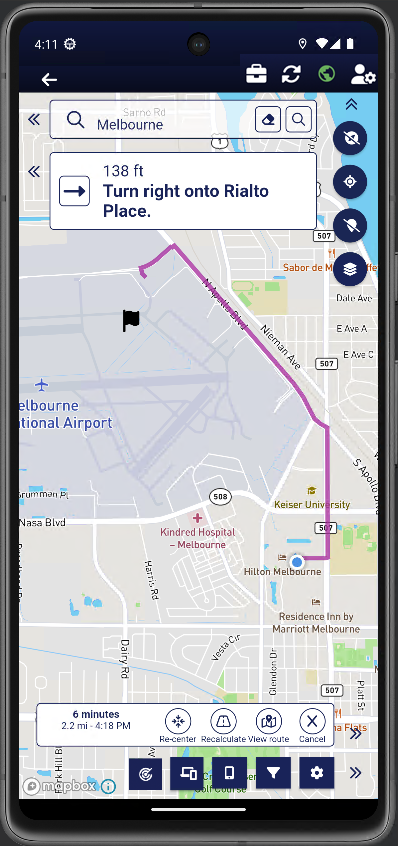
You can now follow the navigation guidance provided and if required you can use the navigation buttons at the bottom of the screen to:
-
view the time, distance and arrival time.
-
Re-center: tap if you have moved your map to view another location and want to now re-center your location on the map.
-
Recalculate: tap if you take a wrong turn and prefer an immediate recalculation of the new route rather than awaiting the additional time required for an automatic recalculation.
-
View route: tap to display all the drive route on the map.
-
Cancel: tap to cancel the navigation.
-
 How to create a navigation route to any previous event
-
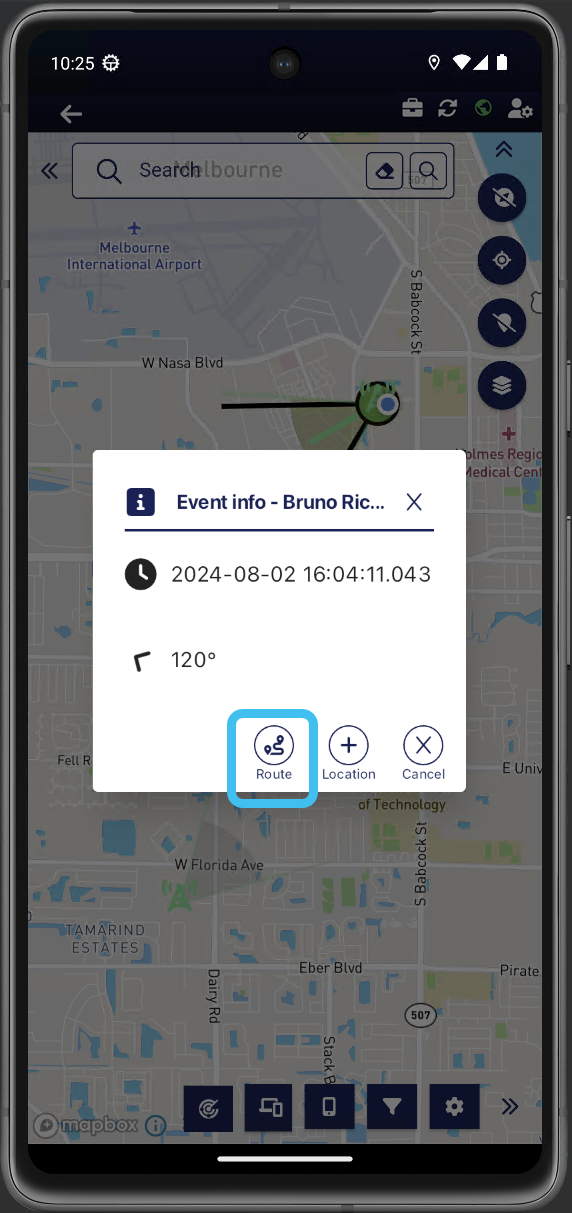
On the map, tap any previous event. A pop-up opens.
-
Tap
. 
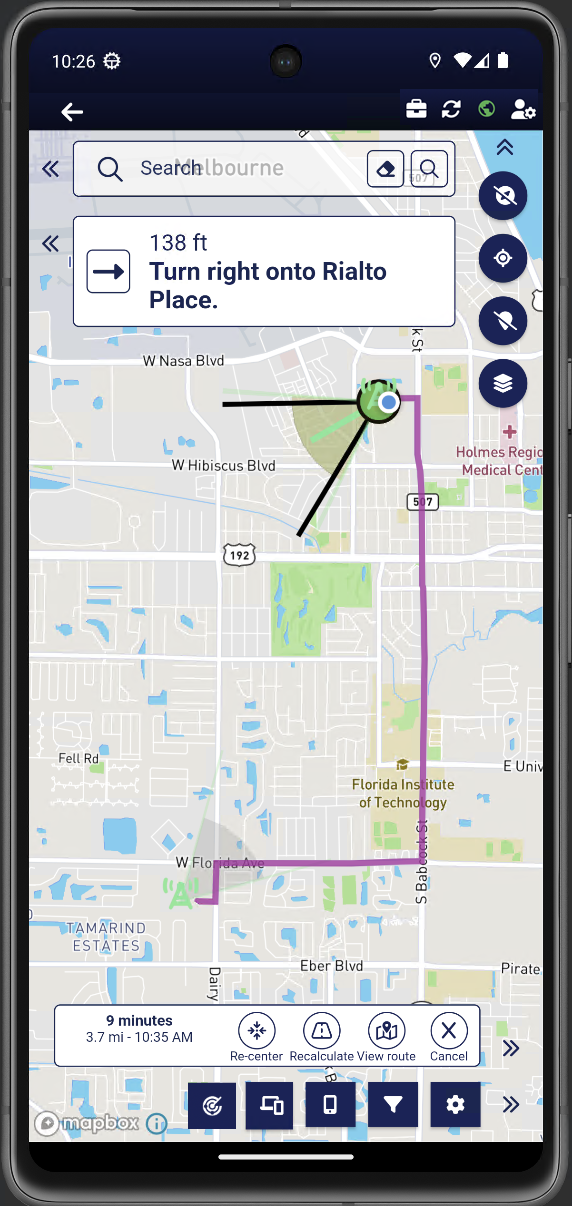
The pop-up closes and the route is displayed on the map.

-
You can now follow the navigation guidance provided and if required you can use the navigation buttons at the bottom of the screen to:
-
view the time, distance and arrival time.
-
Re-center: tap if you have moved your map to view another location and want to now re-center your location on the map.
-
Recalculate: tap if you take a wrong turn and prefer an immediate recalculation of the new route rather than awaiting the additional time required for an automatic recalculation.
-
View route: tap to display all the drive route on the map.
-
Cancel: tap to cancel the navigation.
-
 How to create a navigation route to another field unit
-
You can create a navigation route to another field unit using two methods, either by directly tapping on the unit icon on the map, or from the Units panel:
-
From the map's unit icon:
-
On the map, tap the unit icon.
The Unit pop-up opens.
-
Tap
. The Unit pop-up closes.
-
-
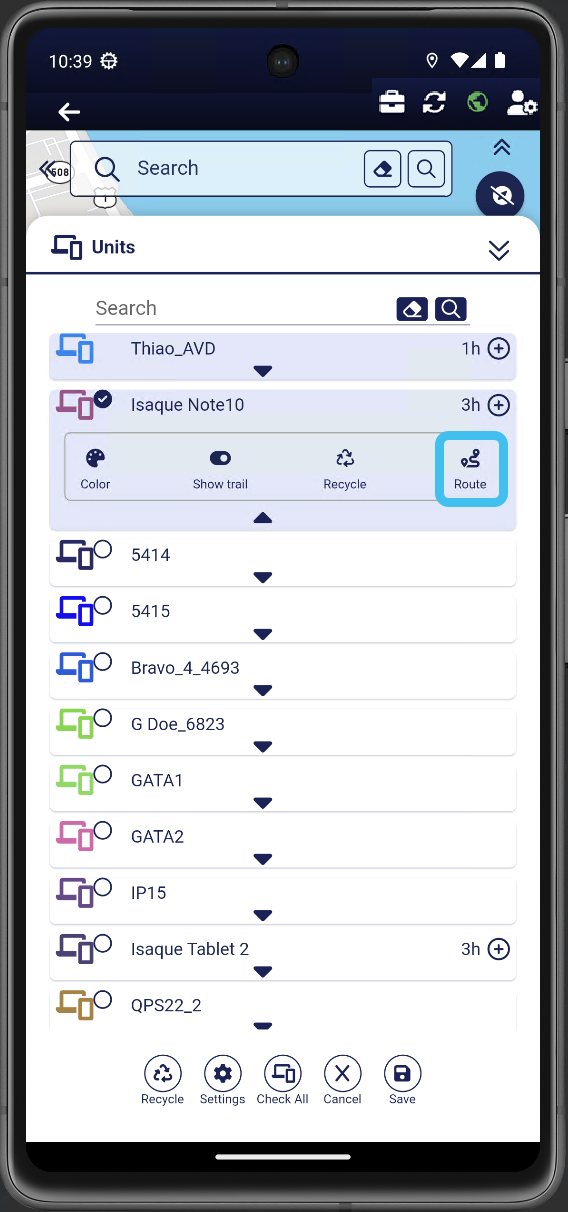
From the Units panel:
-
On the bottom of the screen, tap
 . The Units panel opens.
 - Tap for the unit you want to create a navigation route to.
-
Tap
.
-
Tap
to close the Units panel.
-
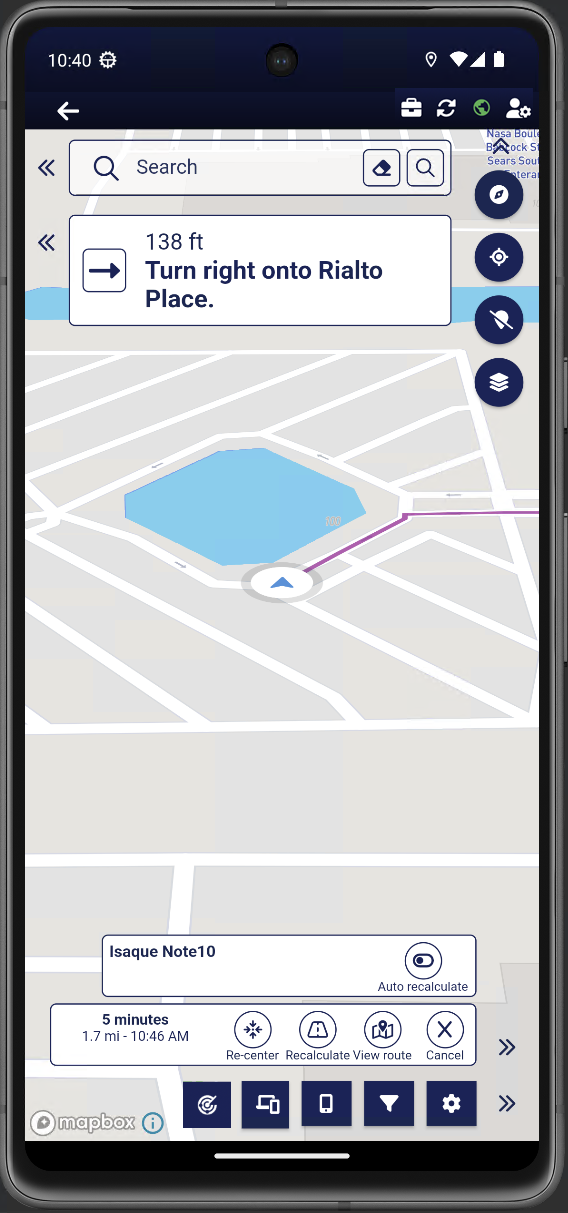
The navigation route is displayed on the map.

-
-
If you want the navigation route to be automatically updated each time the unit's location changes by more than 500m, then enable Auto recalculate.

-
You can now follow the navigation guidance provided and if required you can use the navigation buttons at the bottom of the screen to:
-
view the time, distance and arrival time.
-
Re-center: tap if you have moved your map to view another location and want to now re-center your location on the map.
-
Recalculate: tap if you take a wrong turn and prefer an immediate recalculation of the new route rather than awaiting the additional time required for an automatic recalculation.
-
View route: tap to display all the drive route on the map.
-
Cancel: tap to cancel the navigation.
-
 How to create a navigation route to a chosen location
-
There are two methods that you can use to select a location, either:
-
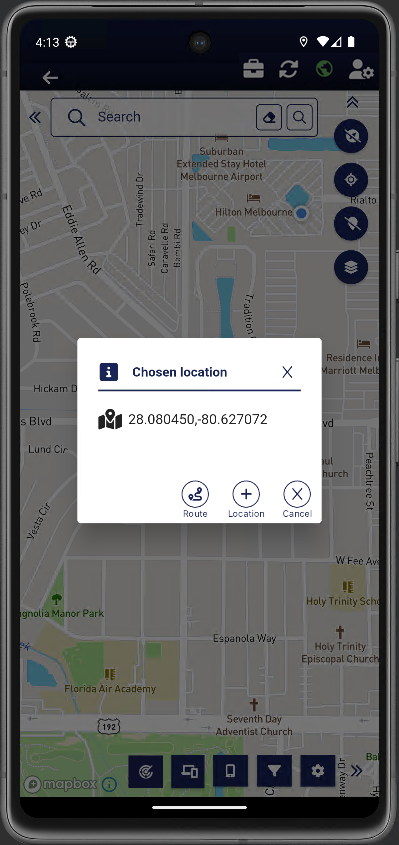
On the map, tap and hold the location you want to navigate to. The Chosen location pop-up opens.

-
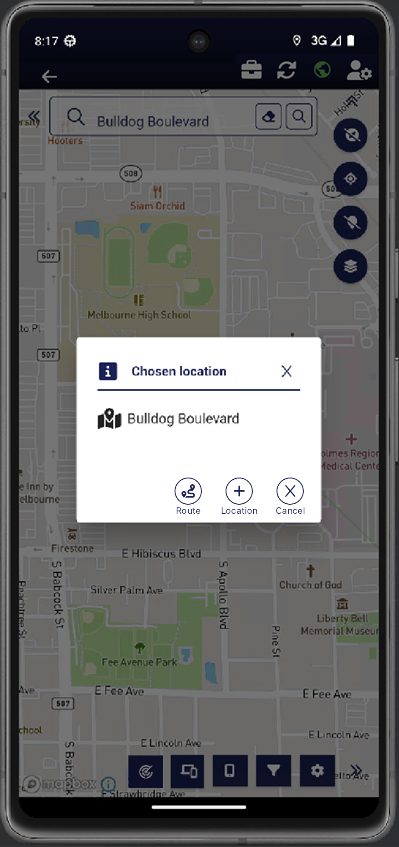
In the map's search bar, enter the location you want to navigate to. Once selected a
 displays on the map. Tap . The Chosen location pop-up opens.
-
-
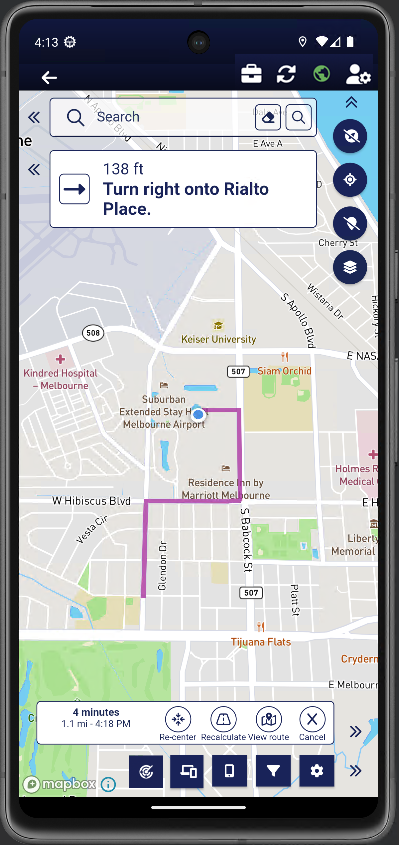
Tap
. The Chosen location pop-up closes and the route is displayed on the map. The only difference in how the route is displayed using these two methods is that the search bar method additionally displays a on the map. -
Tap and hold:

-
Search bar:

-
-
You can now follow the navigation guidance provided and if required you can use the navigation buttons at the bottom of the screen to:
-
view the time, distance and arrival time.
-
Re-center: tap if you have moved your map to view another location and want to now re-center your location on the map.
-
Recalculate: tap if you take a wrong turn and prefer an immediate recalculation of the new route rather than awaiting the additional time required for an automatic recalculation.
-
View route: tap to display all the drive route on the map.
-
Cancel: tap to cancel the navigation.
-
 How to create a navigation route to a Smart Track alert
-
You can create a navigation route to a triggered Smart Track alert using two methods, either by directly tapping on the Smart Track alert icon on the map, or from the Alert summary panel:
-
From the map's Smart Track alert icon:
-
On the map, tap the Smart Track alert icon
 .
.The Alert pop-up opens.
-
Tap
. The Alert pop-up closes.
-
-
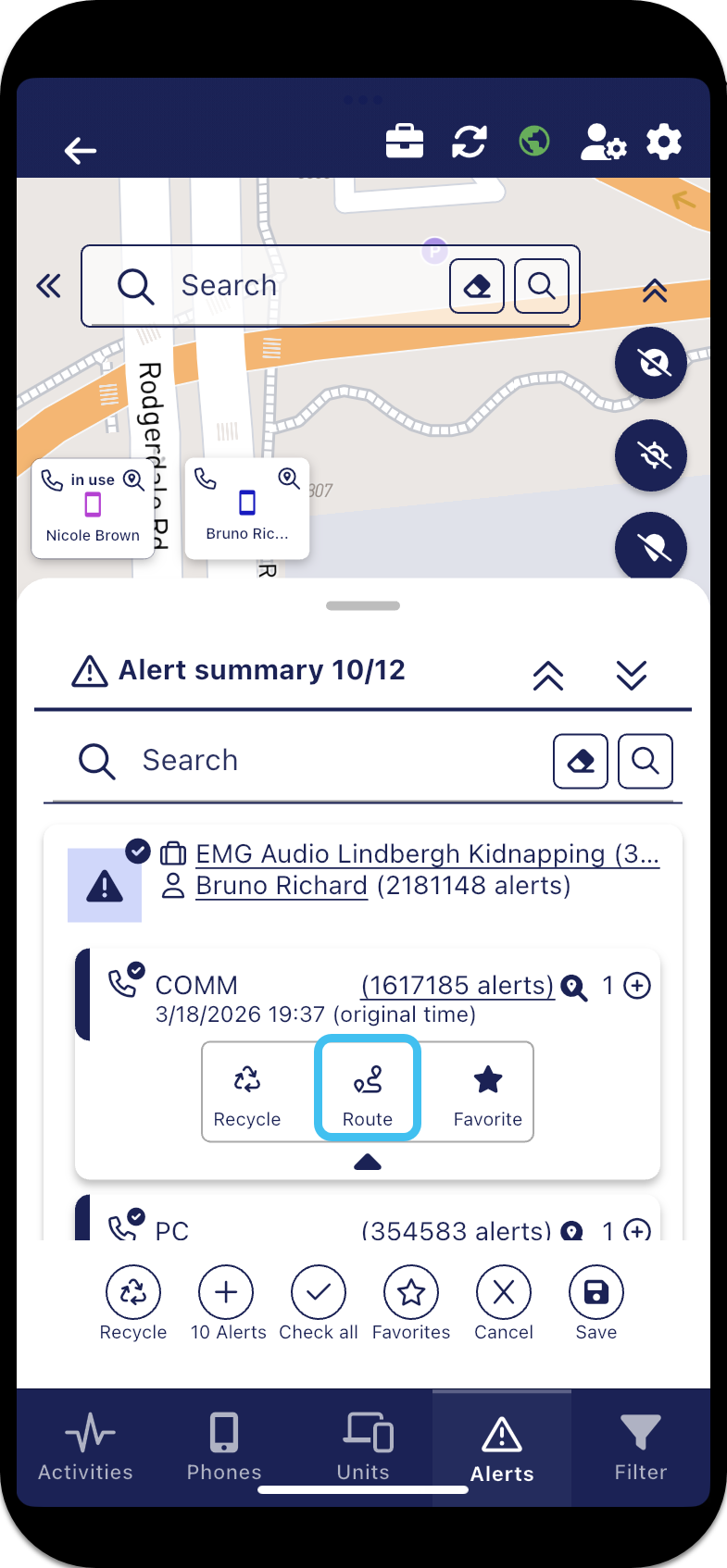
From the Alert summary panel:
-
On the bottom of the screen, tap
 . The Alert summary panel opens.
 - Tap for the alert you want to create a navigation route to.
-
Tap
.
-
Tap
to close the Alert summary panel.
-
The navigation route is displayed on the map.
-
-
If you want the navigation route to be automatically updated each time the latest alert changes location changes by more than 500m, then enable Auto recalculate.
-
You can now follow the navigation guidance provided and if required you can use the navigation buttons at the bottom of the screen to:
-
view the time, distance and arrival time.
-
Re-center: tap if you have moved your map to view another location and want to now re-center your location on the map.
-
Recalculate: tap if you take a wrong turn and prefer an immediate recalculation of the new route rather than awaiting the additional time required for an automatic recalculation.
-
View route: tap to display all the drive route on the map.
-
Cancel: tap to cancel the navigation.
-