Events panel
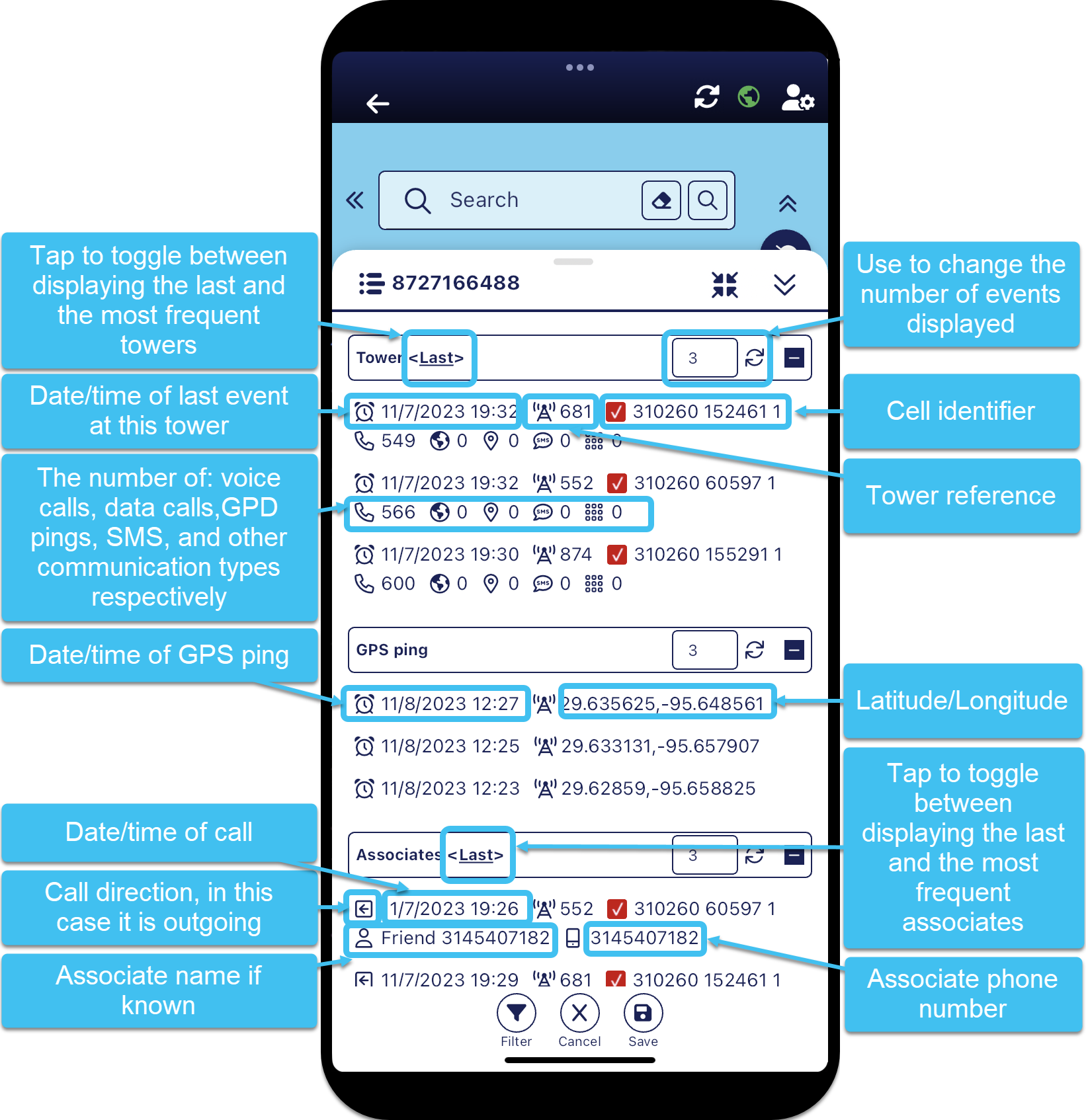
The Events panel can be opened from both the Phones panel and the Case Info screen and is titled using the target's name and phone number. It provides you with the details of a phone's last and most frequent events including:
-
the last towers used
-
the most frequently used towers
-
last GPS pings
-
last associates the phone was in contact with
-
the most frequent associates
By default the panel displays the last 3 events for the last towers, GPS ping and last associates. You can easily change the number of events displayed, and you can toggle between displaying the last and most frequent towers, and the last and most frequent associates.
If you want to view something more specific then you can apply filters to the results by tapping  at the bottom of the panel. Note, when a filter is applied the icon displays as
  .
.
If Not correlated is displayed beside the tower it indicates that the tower is uncorrelated meaning its location is unknown but it provides you with the knowledge that the phone is active and communicating. You can select to show or hide uncorrelated towers using Correlation on the Filter panel.
For further information refer to Viewing a phone's last and most frequent events.
 Buttons
Filter
Buttons
Filter
Tap to filter the events that are displayed by: data types, call direction, correlation, and date/time. Note, when a filter is applied the icon displays as .
 Save
Save
Tap to save any changes you have made to the number of results displayed. Once saved, this is used as your default value each time you open the Events panel. Note, closing the panel using  automatically saves any changes you have made. If you do not want your changes saved then tap
  to close the panel.