Case Info screen
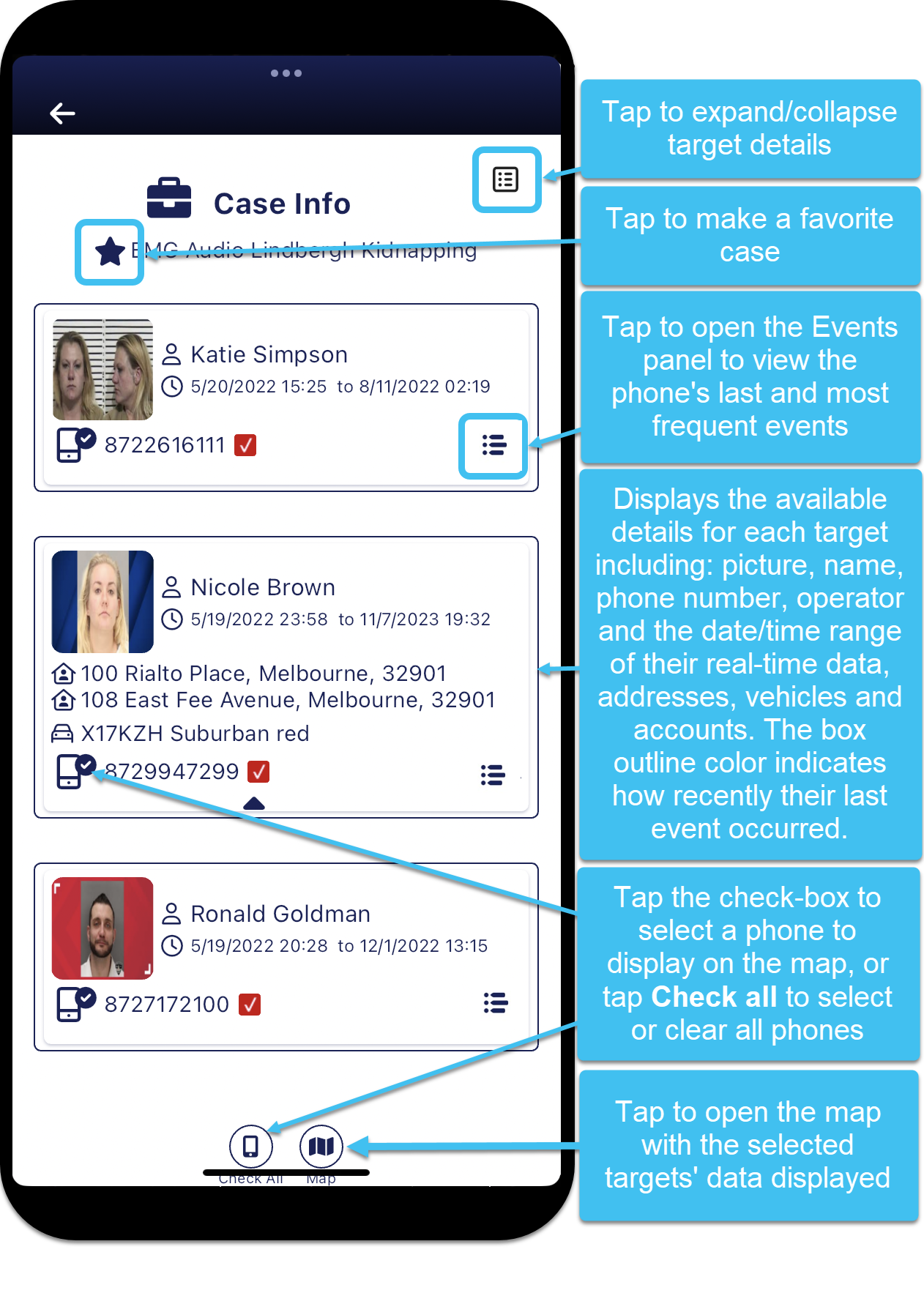
The Case Info screen displays all the targets in the case that are being monitored. The screen:
-
for each target displays, if available: their name, the date/time range of the real-time data that is available for them, phone numbers, operators, IMSIs, addresses, vehicles and their accounts.
-
allows you to open the Events panel for each target where you can view a phone's last and most frequent events. For further information refer to Viewing a phone's last and most frequent events.
-
allows you to select which phones you want to display on the map by tapping the check-box before the phone number, or tapping
 at the bottom of the screen to select all phones.
 -
allows you to open the case, on the Analysis Center map screen, by tapping
 at the bottom of the screen.
 -
allows you to add or remove the case as a favorite by tapping

 at the top of the screen.
The color of the outline around each target indicates how recently their last event occurred. The timings used for each color are those you have set on your User preferences panel in Green/Yellow/Red the data arrived in the last (Minutes). For further information refer to Set the amount of data loaded and the timing color codes.
 Buttons
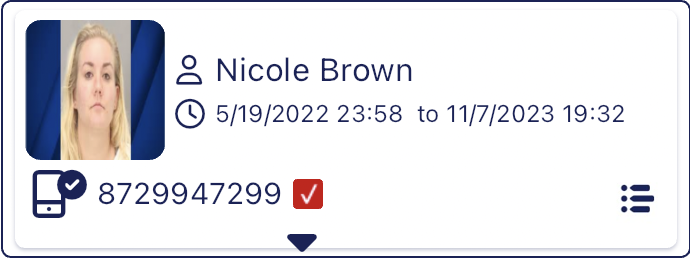
 Expand
  Collapse
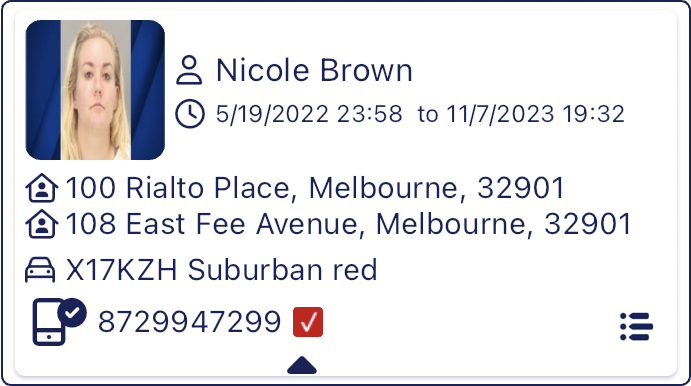
Tap to show or hide the details of each person.
When collapsed only the target's name, phone number, operator and the date/time range of their real-time data is displayed as shown below.
When expanded additional information such as their addresses, vehicles and accounts are also displayed as shown below.
Tap to add a case to the Favorites tab, and tap to remove it.

Tap to open the Events panel which provides you with the details of a phone's last and most frequent events.
Check all
Tap to either select or clear all phones from being selected. Only those phones that are selected will have their data displayed when you open the Sentinel case map.
Analysis center
Tap to open the Analysis Center map screen. Only those phones that are selected will have their data displayed when you open the Analysis Center map screen.