Set how sectors, icon size, GPS ping and alert buffers are displayed
??? teamrev26.1 title changed

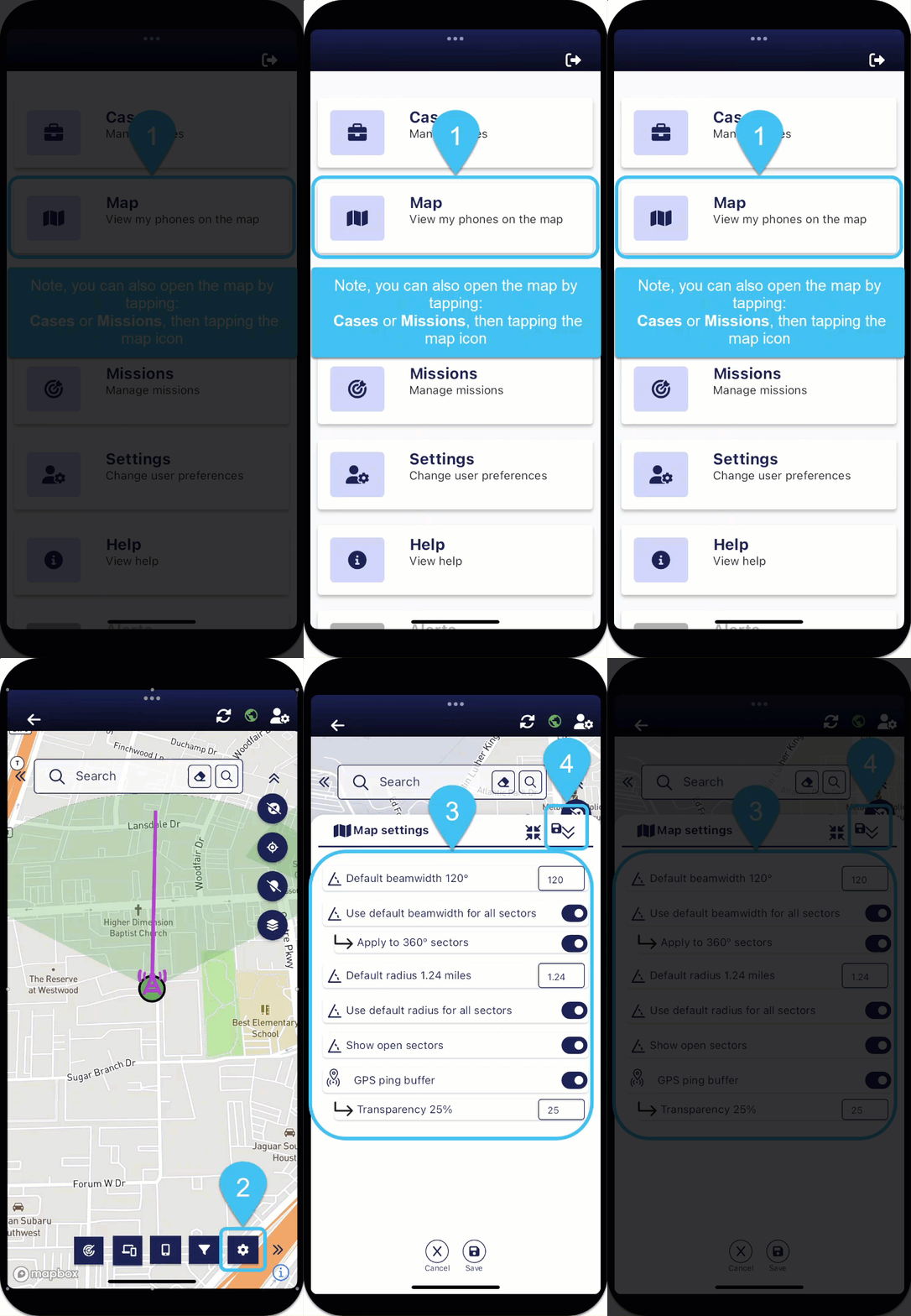
At the top-right of the map screens, tap  then set your preferred configuration from the Map settings panel. For an overview of these settings refer to the Map settings panel.