Evidence Management and Reporting Settings screen
This topic describes the purpose of the Evidence Management and Reporting Settings screen and all the settings and buttons on it. However if you require step-by-step procedures on creating report templates refer to Managing Evidence Management and Reporting templates.
This feature requires option E23 Sentinel HI3 (T3/T50). If you do not have this option this feature is not available.
The Evidence Management and Reporting settings screen, opened from the main menu by clicking Admin settings then Evidence Management and Reporting, allows administrators to define which report options are included in each template. The screen allows administrators to create, edit and delete templates. The templates can either be fixed or user configurable. If they are configurable they act as a starting point for users who can select the template then adjust the report options as required.
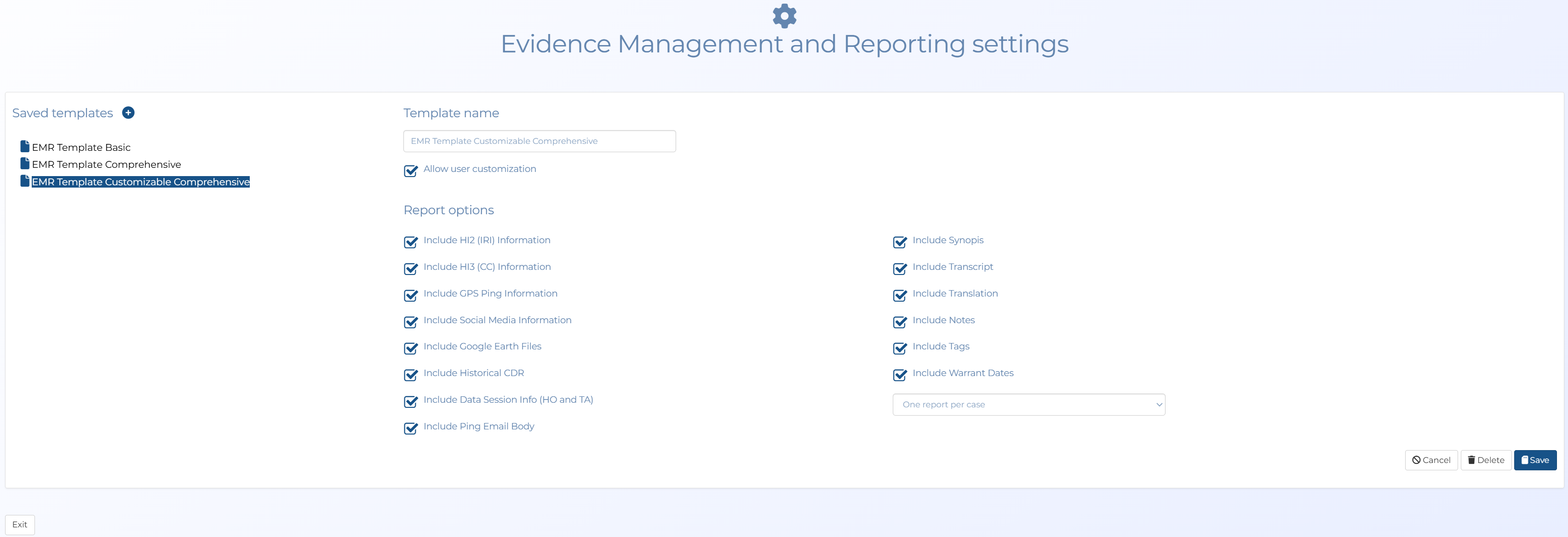
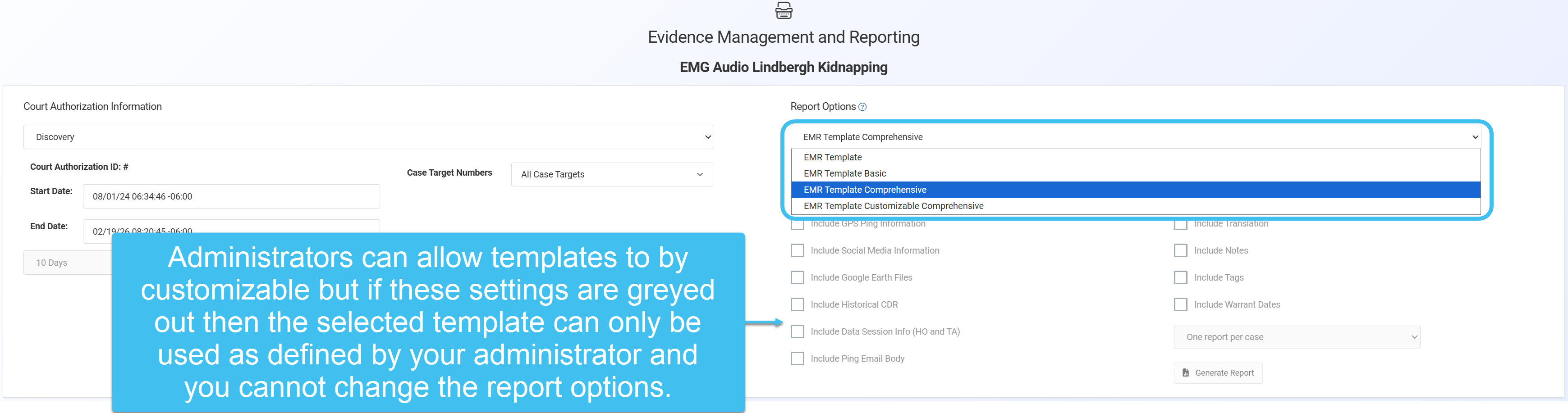
Once created, the templates are available on the Evidence Management and Reporting screen for users to select.
 Settings and buttons

Click to create a new template.
Allow user customization
Select if you want the user to be able to change which content is included when they select the template. If not selected then the report options are greyed out when the template is selected.
Delete
Click on a template name then click Delete to remove it.
Save
Click to save a new template or save an edited template.