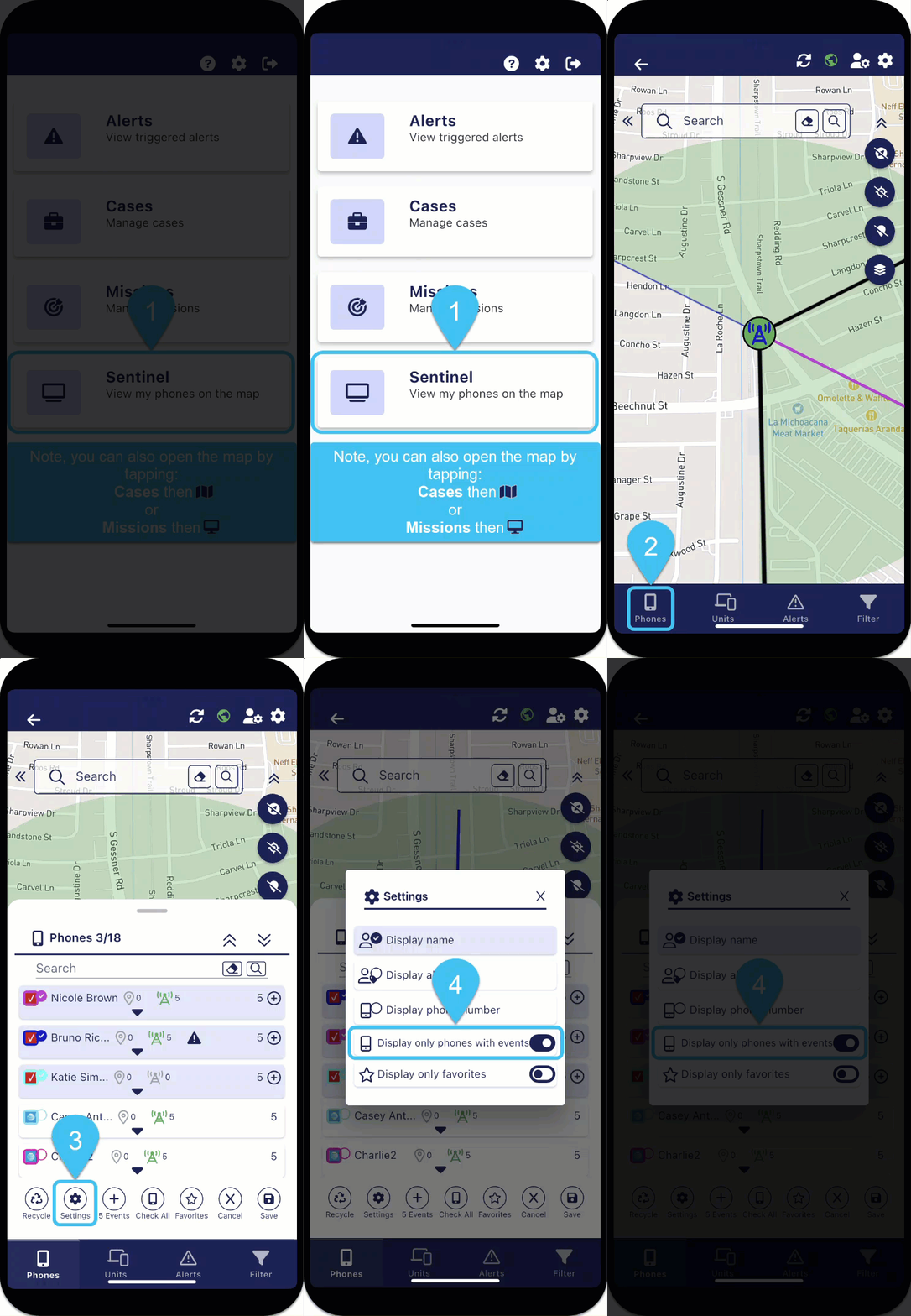
Set to only display phones with events

-
On the bottom of the map screens, tap
 . The Phones panel opens.
 -
On the bottom of the panel, tap
 to open Settings, then enable Display only phones with events.