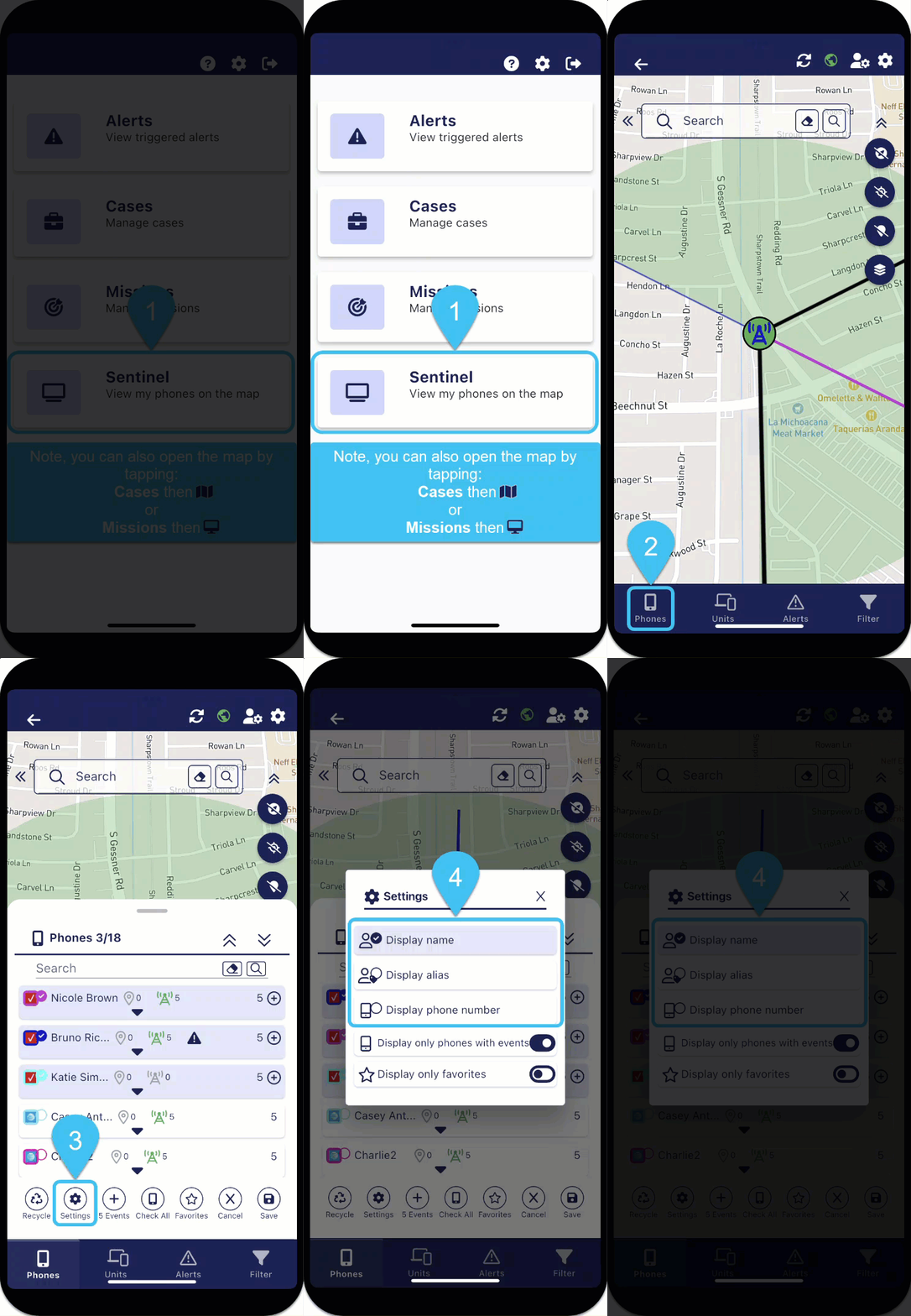
Set to display the phone number, target name or target alias

-
On the bottom of the map screens, tap
 . The Phones panel opens.
 -
To set what is displayed for:
-
all the phones, whether they are selected or not, at the bottom of the screen tap
 , then tap either Display name, Display alias or Display phone number.
 -
an individual phone, on the phone's row tap
 , tap
, tap  , then tap either Display name, Display alias or Display phone number.
-