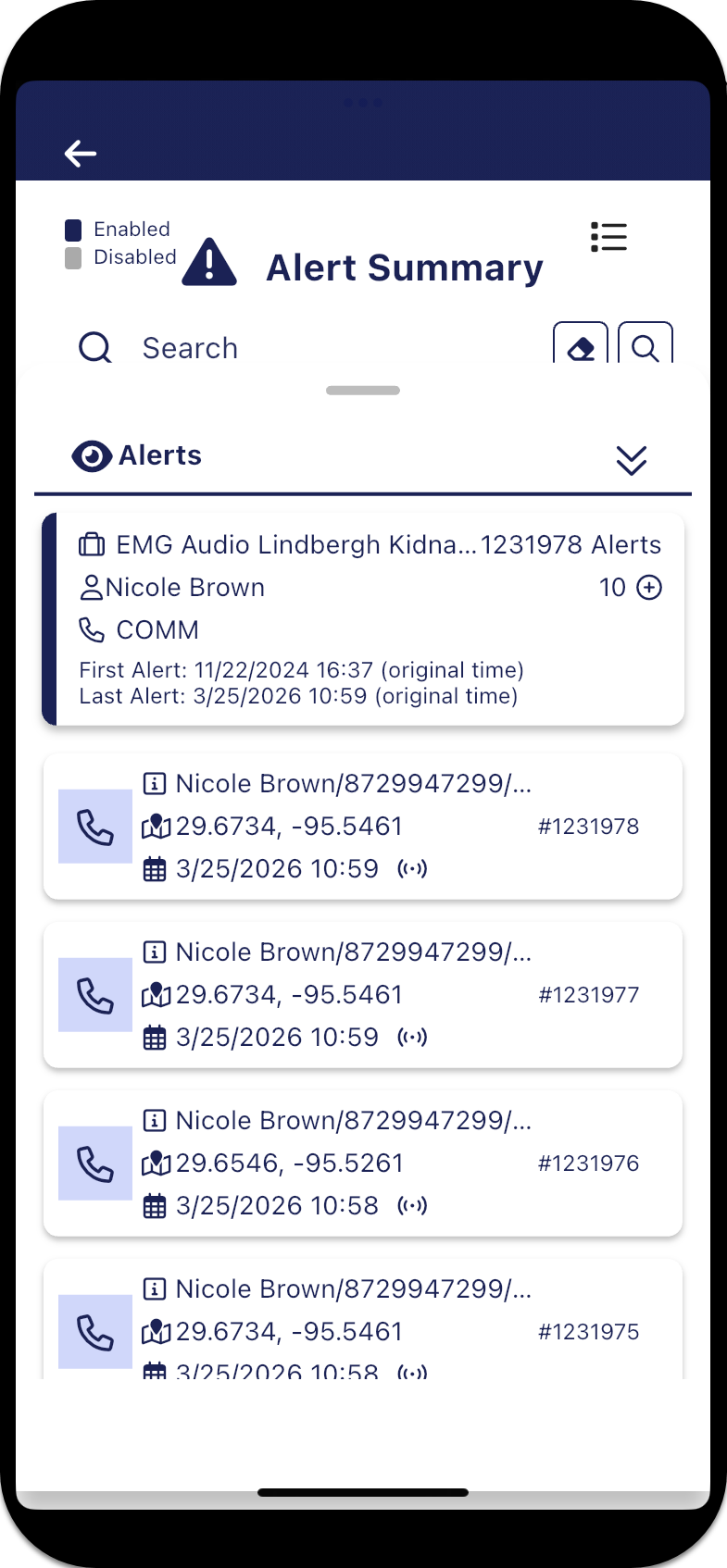
Alerts panel
??? teamrev26.1 new topic
The Alerts panel is opened by tapping the number of alerts on the Alert summary screen.
The top of the panel provides a summary of the case name, person name, alert name and the data/time of the first and last alerts. By default the most recent ten alerts are then listed but you can increase this by tapping  . The amount you can increase by when tapping , is set using Load next x alerts on the User preferences panel.
Each alert then details the target related information that triggered the alert, the latitude/longitude of the alert location and date/time of the triggered alert. When available the confidence level of the triggered alert is also displayed. A #<number> is displayed, which is automatically generated by the G-Scout App, to help you identify each triggered alert. The time of each alert is always displayed as the "original time" which is the time received from the operator and therefore not necessarily your local time.