Add more data or remove data from the map screens

-
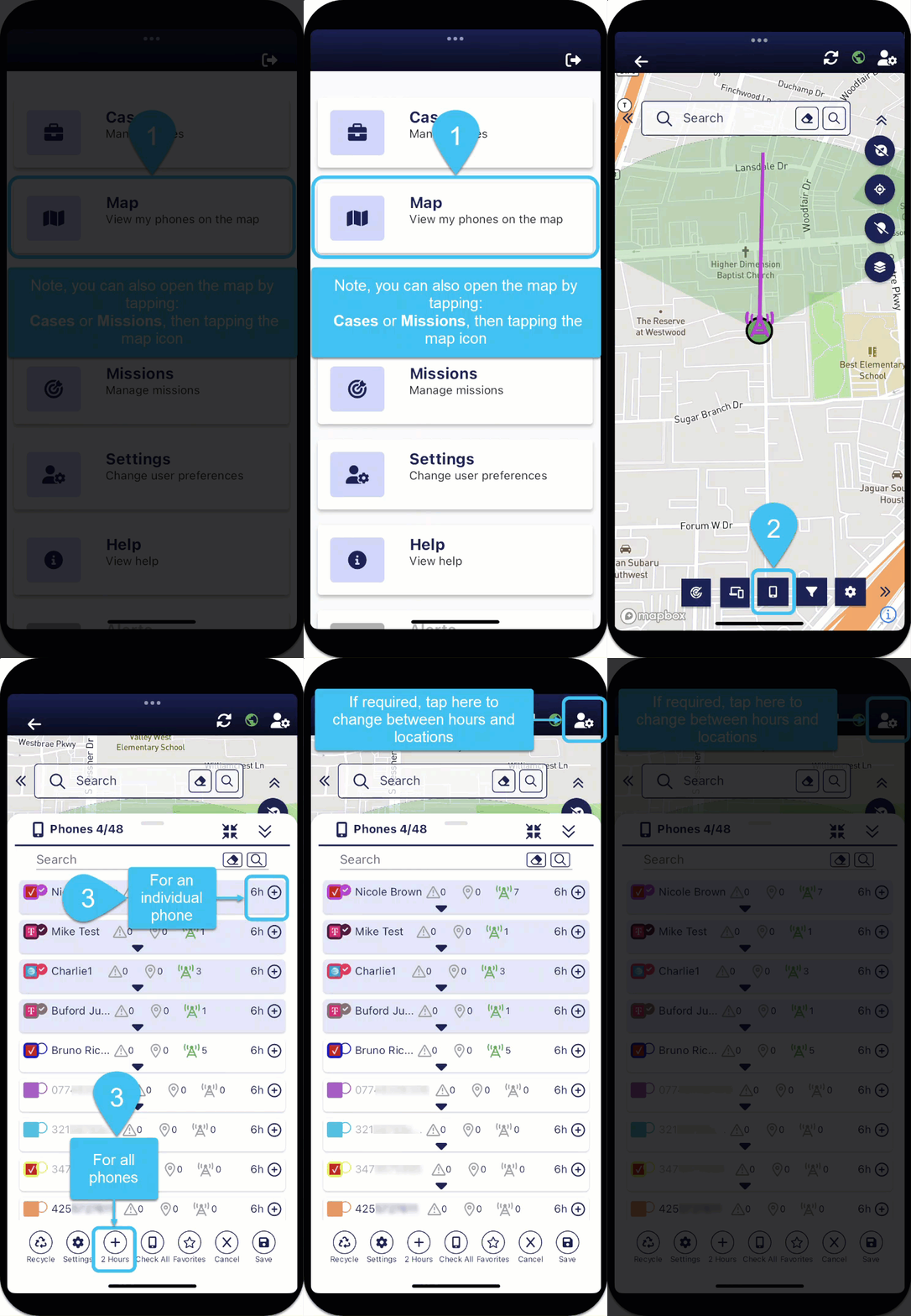
On the bottom of the map screens, tap
 . The Phones panel opens.
 -
To increase the amount of data displayed, you can either increase it for all phones or per phone. For:
-
all phones, at the bottom of the screen tap
 as many times as required.
 -
an individual phone, at the end of the phone's row tap
as many times as required.
Note: You can set whether you increase the amount of data displayed by either the number of hours of data or the number of locations, and by how much using the User preferences panel.
-
-
To remove all data for:
-
all the selected phones, at the bottom of the screen tap
 .
. -
an individual phone, on the phone's row tap
 , then tap
  .
.
-