Case template management screen
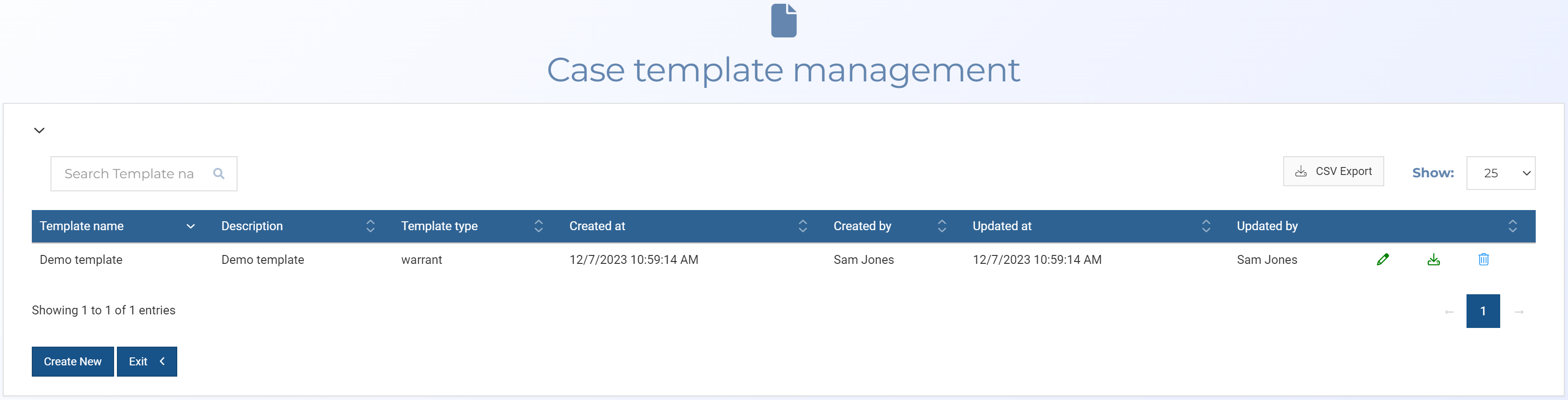
This topic provides an overview of the Case template management screen and all the settings and buttons on it.
 Overview
The Case template management screen displays all the templates that have been added to the case. Templates help you to efficiently create documents such as warrant affidavits. Once you are satisfied with the details in your document you can then download it for use.
Settings and buttons
Create new
Click to open the Add case template screen which allows you to create a new template for the case.
 Copy
Copy
Click to copy a template. This is useful if you want to create a similar template. Once copied you can change the template name and edit the contents.
 Edit
Edit
Click to edit the template's keys.
 Download
Click to download the selected template.
 Delete
Click to delete the selected template.