Configuring the default IQ packet settings
As an Administrator you can use the Admin IQ packet settings screen to define the default settings for your customer account. These settings are also used by the OSS-SRN Express Portal. Users of OSS-ESPA can override these default settings using their account's IQ packet settings screen as described in Configuring the appearance of your IQ packet. To open the Admin IQ packet settings screen, click, Settings, Admin settings then IQ packet settings.
NOTE: This topic is only applicable to customer administrators.
-
On the main menu click Settings, then click Admin settings.
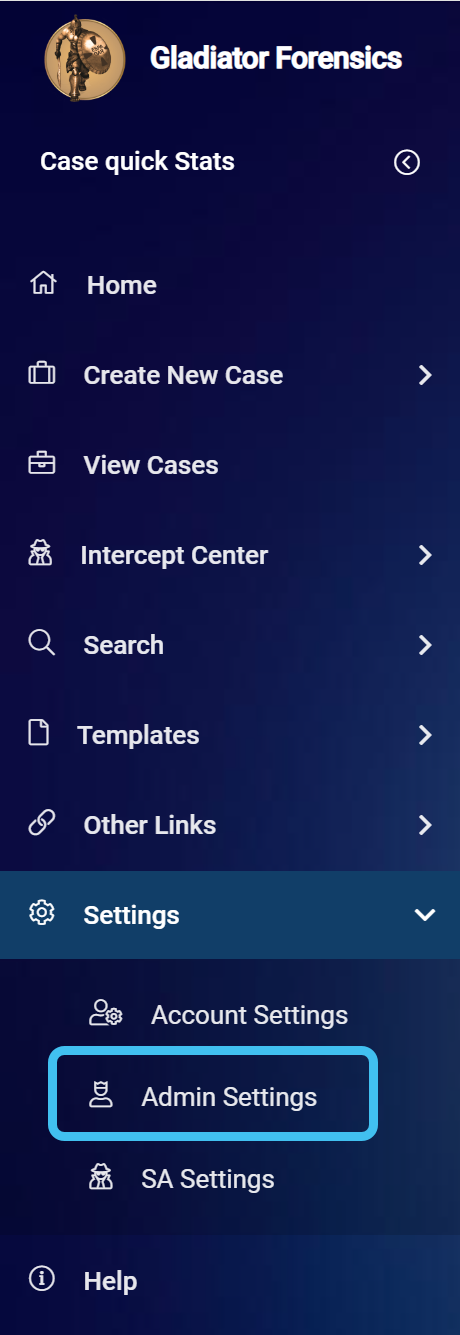
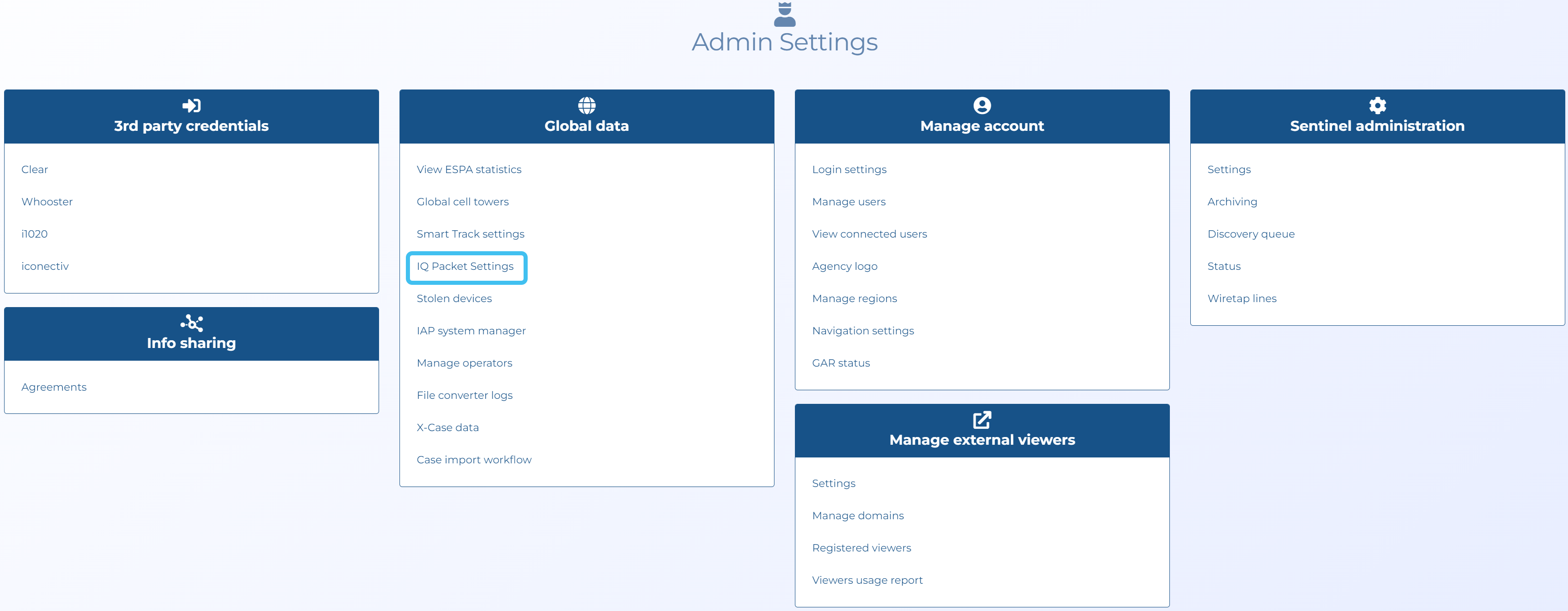
The Admin settings screen opens.
-
Click IQ Packet settings in the Global data group.
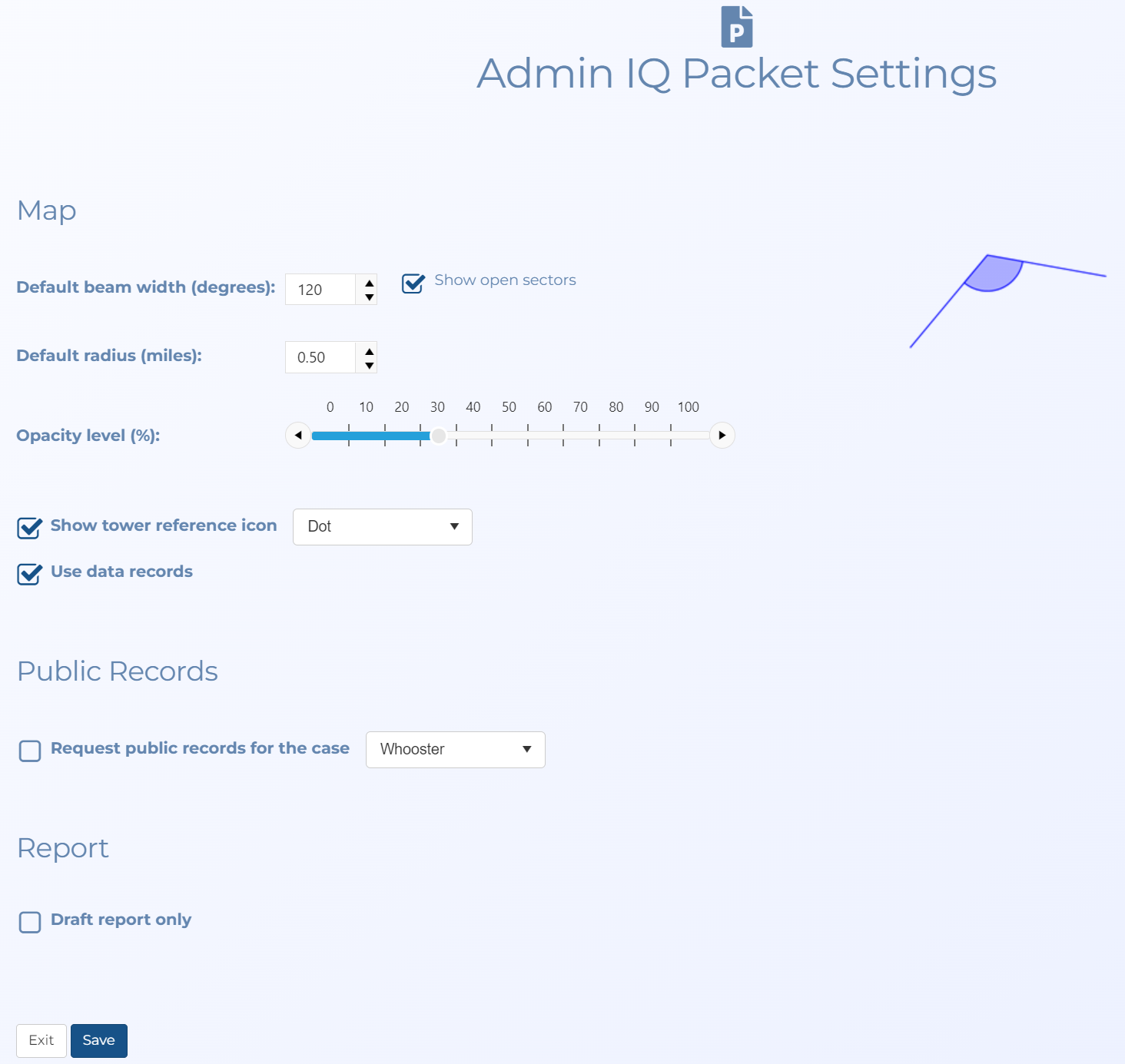
The Admin IQ packet settings screen opens.
-
Configure the settings as required:
-
In Default beam width (degrees) select the the sector beam width you want used as the default each time a case is opened on the ESPA analysis center. The default value is 120 degrees.
-
In Show open sectors select if you want to display the sectors as open sectors where they are only 20% partially filled. You may want to do this so that you are not showing an exact theoretical cell boundary in your report. Showing an exact theoretical cell boundary could cause people to incorrectly believe that the cell coverage ends exactly where the displayed theoretical pie cell boundary ends.
-
In Default radius (miles) select the sector radius you want used as the default each time a case is opened on the ESPA analysis center. The default value is 1.24 miles.
-
In Opacity level (%) use the slider to change the transparency of the sectors displayed on the map. Reducing the transparency level is useful if you have multiple sectors overlapping each other as it makes it easier to read the underlying map layers and street names.
-
In Show tower reference icon select if you want a tower reference icon displayed. You can also select which type of icon you want used.
-
In Use data records select if you want data communications to be included in the analysis outputs along with voice and SMS communications.
-
In Request public records for the case select if you want to request a public records check on the phone numbers in the case's CDR. The results are included in the IQ packet. If a subsequent IQ packet is requested OSS-ESPA does not request the public records again.
-
Select Draft report only if you only want users to have draft reports available to download. You may want this selected if your department has a policy that map images of CDRs must be peer reviewed unless they are labeled with a “draft” disclaimer.
-
-
Click Save. These default settings are then used for your customer account. They are also used by the OSS-SRN Express Portal.