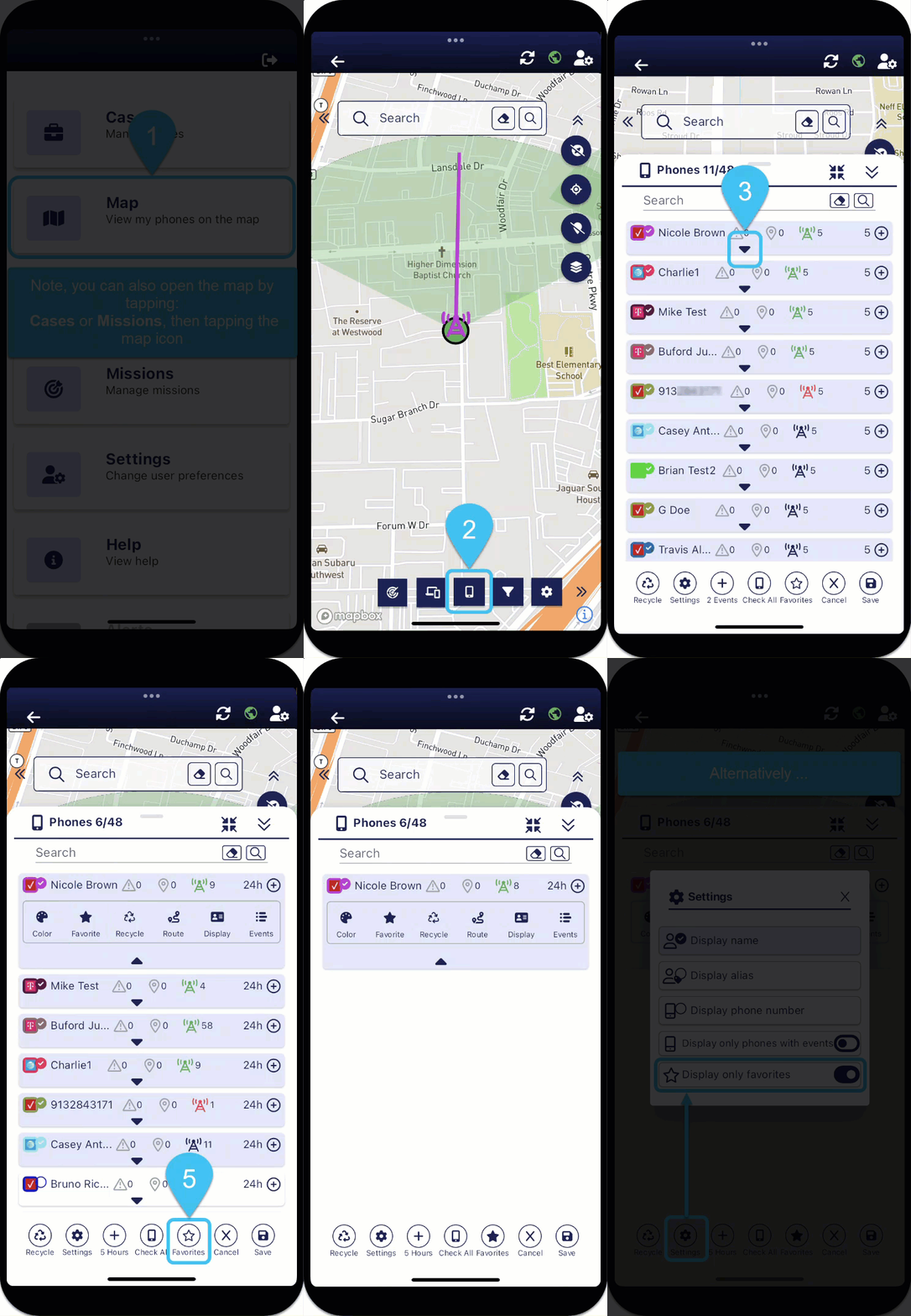
Quickly view phones of interest by marking them a favorite

-
On the bottom of the map screens, tap
 . The Phones panel opens.
 - Tap
 for the phone you want to mark as a favorite.
 - Tap
 so that the icon is solid blue.
 -
To set the Phones panel to now only display the phones you have marked as favorites, on the bottom of the panel you can either:
-
tap
 so that the icon is sold blue, or
 -
tap
 to open Settings, then enable Display only favorites.
-