Last Activities panel
??? teamrev26.1 new topic>
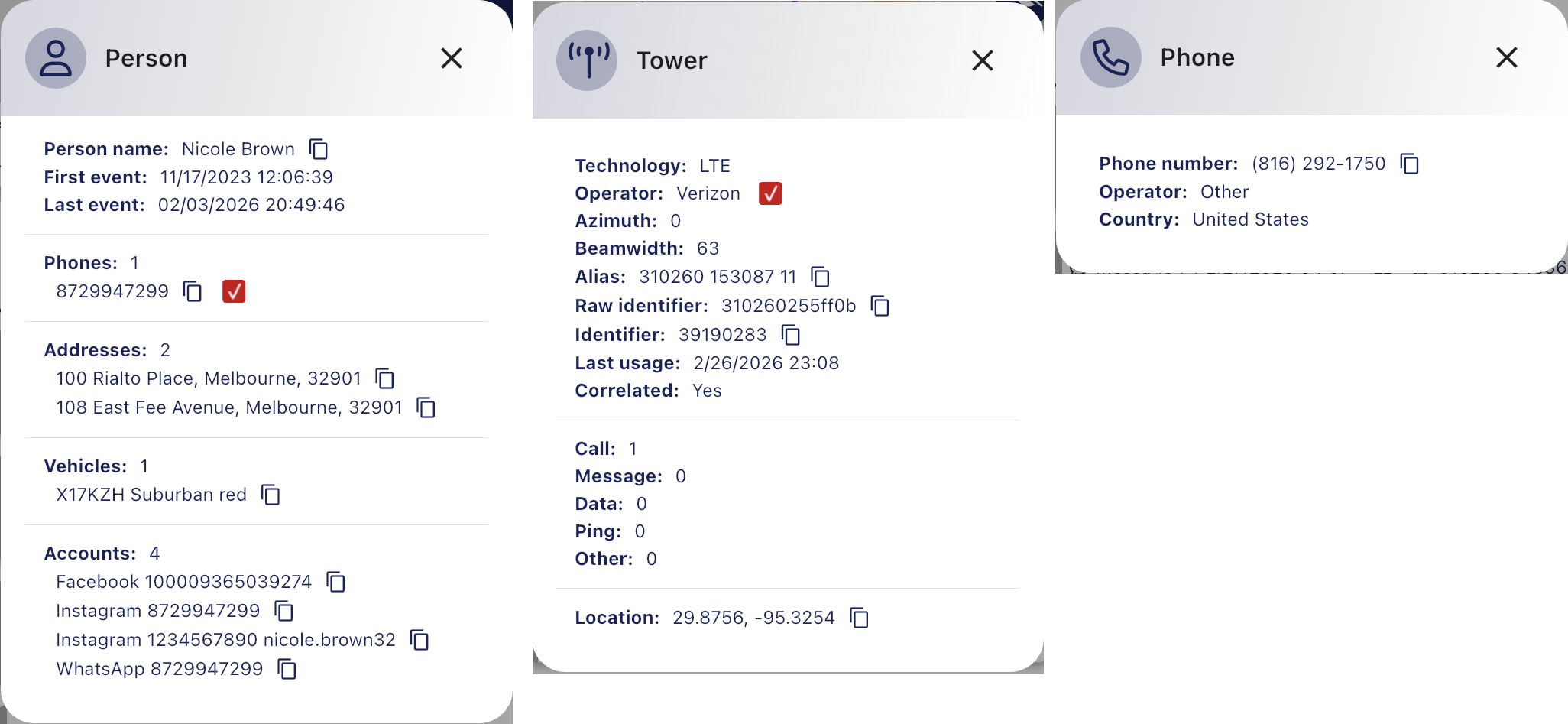
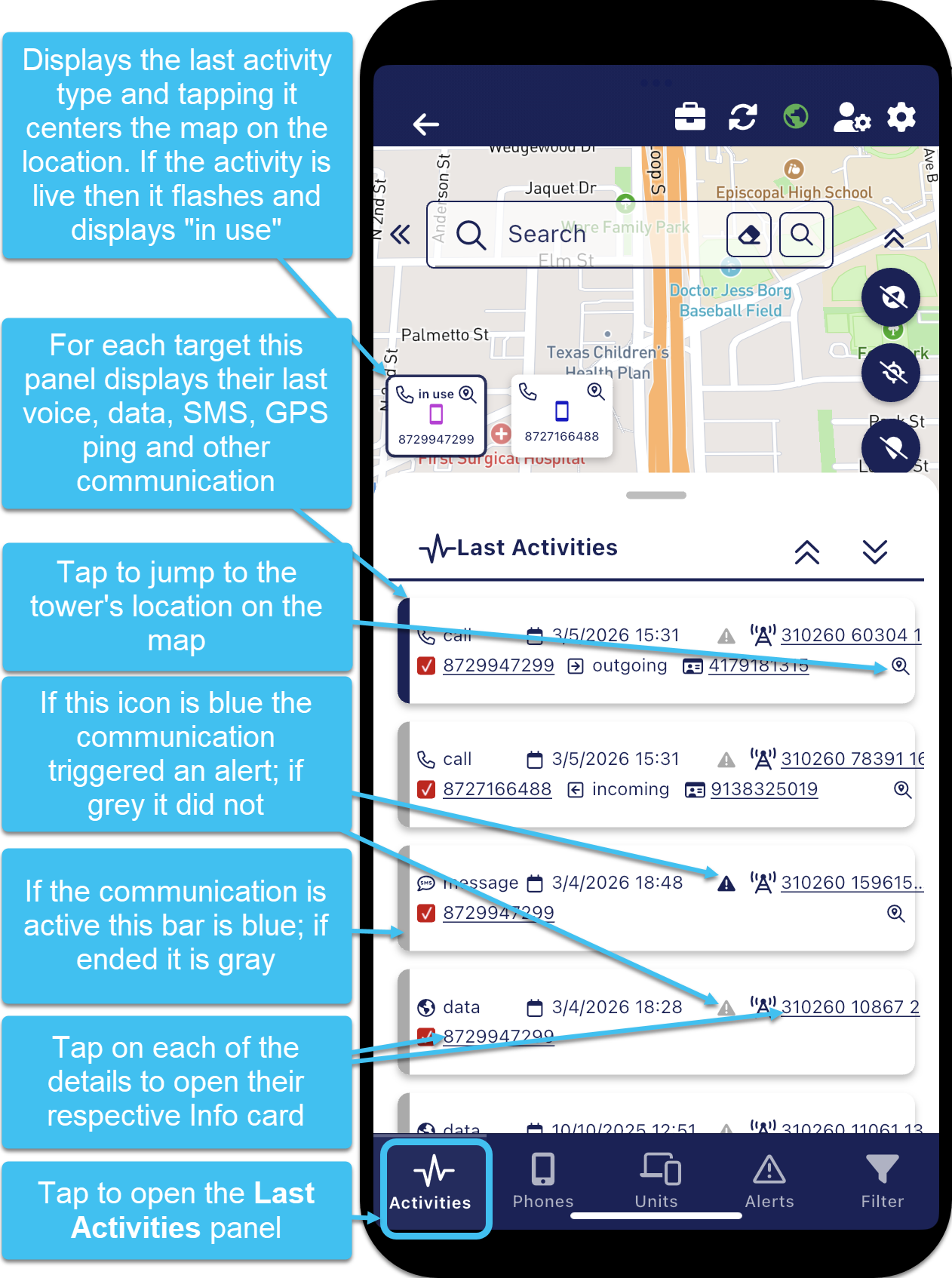
The Last Activities panel, opened be tapping the Activities button on the Analysis Center map screen, displays the last voice, data, SMS, GPS ping and other communication type for each phone. This provides you with a timeline of the phone's last activities. The bar at the left of each activity is gray if the activity has ended or blue if the activity is active. You can quickly zoom to the location of the tower where the communication occurred by tapping  . A blue
  icon indicates that the communication triggered a Smart Track alert, however tapping it does not open the Alerts summary panel. You can click on the underlined text to open the respective Info cards which provide details on the person, phone and tower.