How to run an X-Case deconfliction

This topic describes how to run an X-Case deconfliction and provides an overview of the results.
-
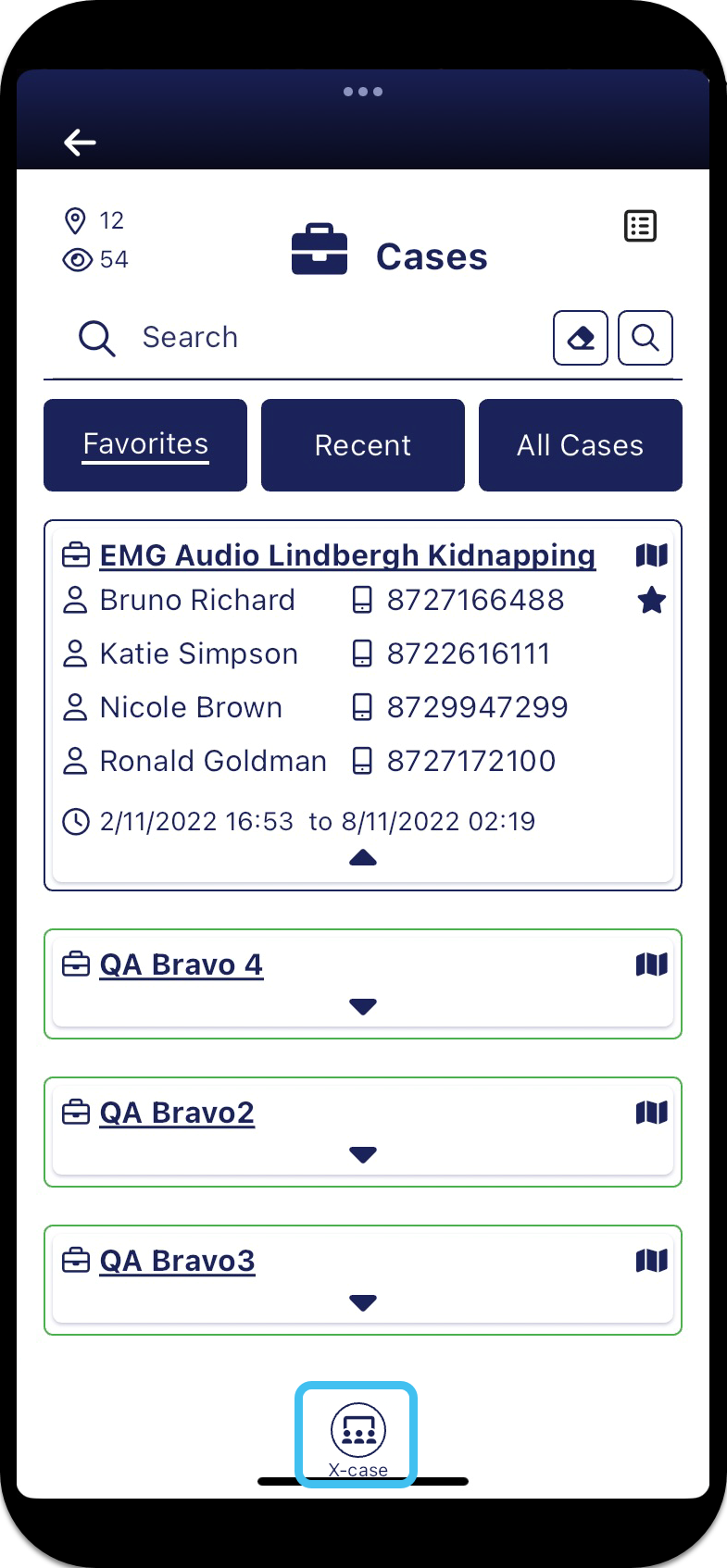
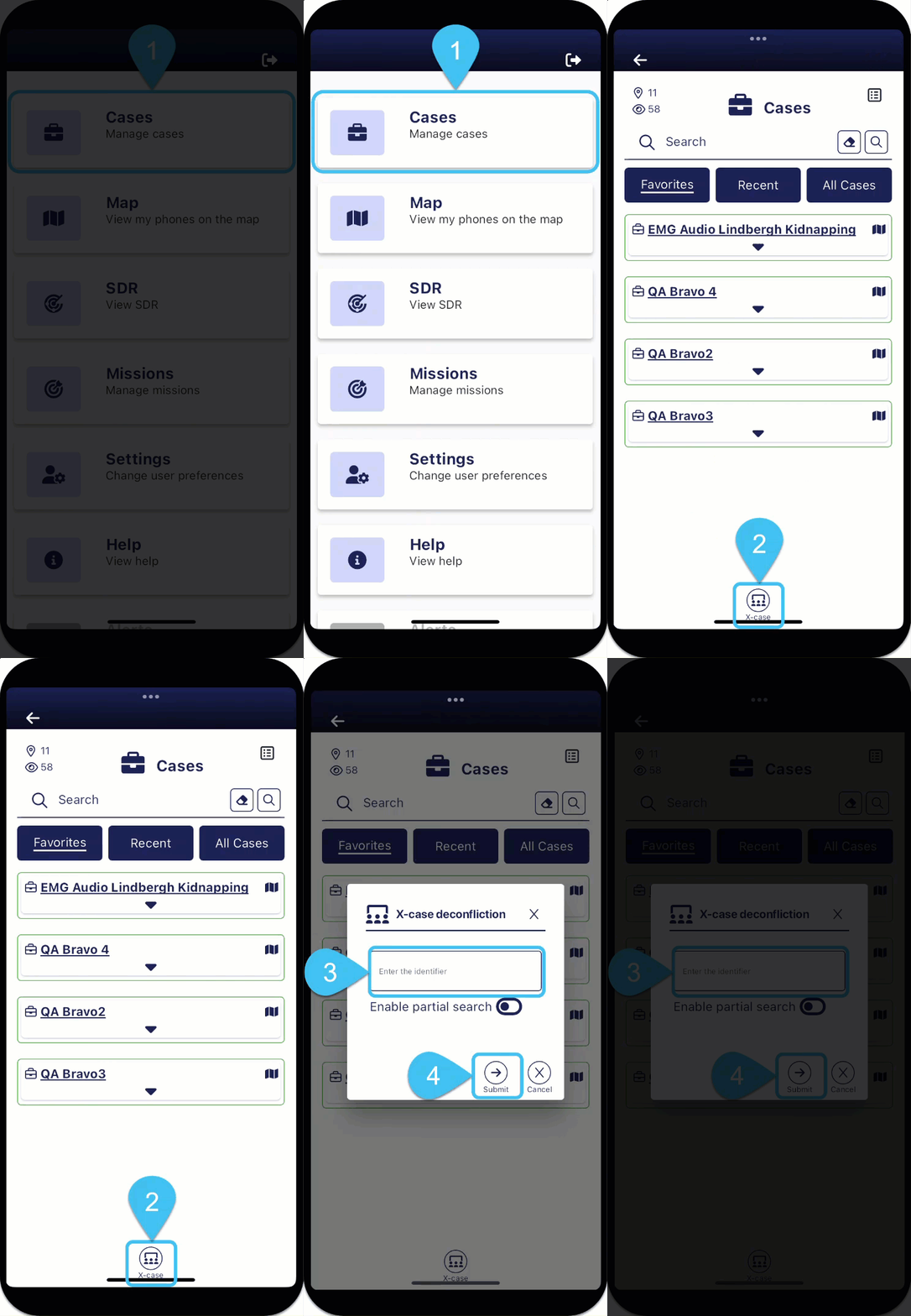
On the Cases screen tap
 .
.
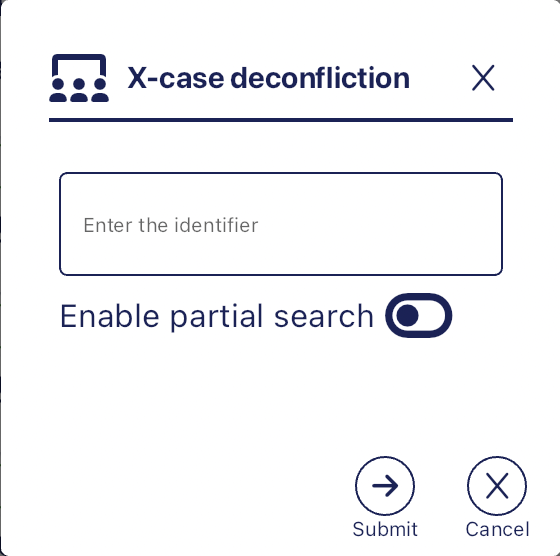
The X-case deconfliction pop-up opens.

- Enter either one phone number, or a comma-separated list of the multiple phone numbers you are interested in.
- If you are unable to complete the full string, for example you only have a partial phone number, select Enable partial search.
-
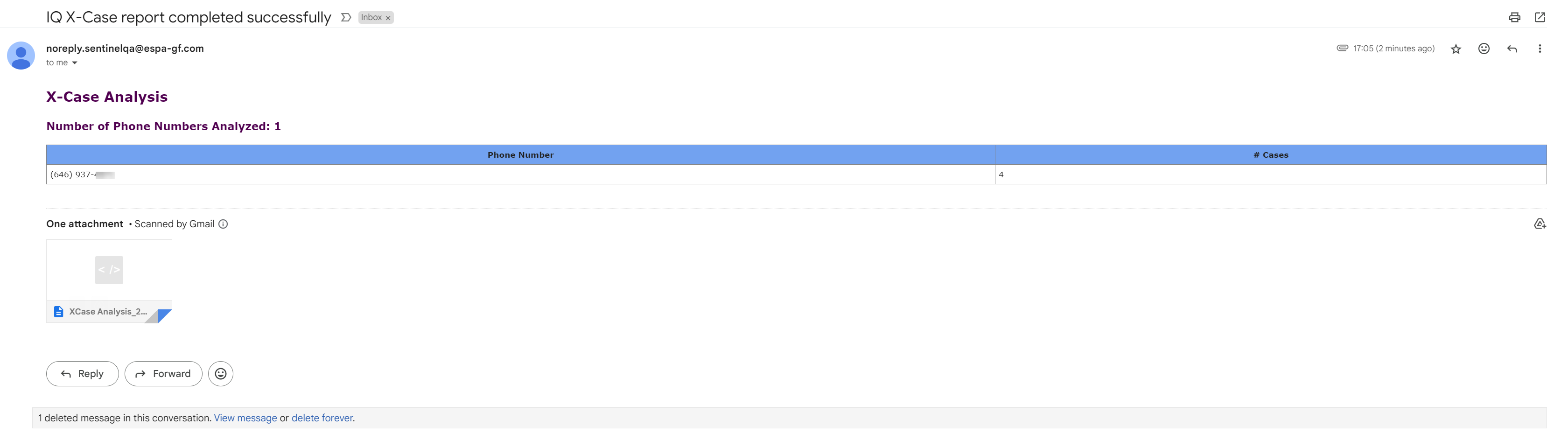
Tap Submit. Your report is sent to your email, titled "IQ X-Case report completed successfully ", as soon as it is complete. These are emailed to you typically within 20 minutes but the timing is dependent on the number of reports that OSS-ESPA is currently generating. It is recommended that you check both your email's Inbox and Junk folders.
 Tap for additional information on the email's X-case deconfliction results
The email text contains a summary of the results, showing all your search strings and how many cases they were located in. For example, in the following example, the X-case deconfliction was performed on one phone number that was found in 4 cases.
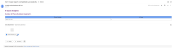
The email also has an attached .html file showing additional details of the X-case deconfliction matching which may include:
-
the searched phone numbers.
-
if known, the name associated with phone numbers in the matched cases.
-
the person type in the matched case, either a Target or Associate. A Target is a person entered into the matched case. An Associate means the phone number was located in the matched case but within the phone record of a target person.
-
the matched case's case id, case name and case creation date. The case creation date is useful as one with a similar date may be more important, or if the date is older you can determine if the phone belonged to the same person.
-
the name, email address and phone number of the person who created the matched case.
-
White list matches. The White list is a database managed in OSS-ESPA where common identifiers such as hotel, motels, rental car companies, schools, credit card companies, banks, FFL dealers, jail numbers, probation and parole numbers are stored. If there is a match to the White List then these results are listed. This can provide you with useful leads to follow up on, for example a hotel phone number could indicate where a person is currently sleeping, or an airline number could provide the details of a booked flight.

To help you commence case collaboration and information sharing, OSS-ESPA automatically emails any case creators that match with your X-case deconfliction, providing them with the associated case information and your email and phone details. However if you additionally want to contact them and provide more details, you can tap on the case creator's email in the .html file to automatically create an email to that person and the associated case information is also included.
-