Display your breadcrumb trail

-
For your breadcrumb trail to be up to date you must have
 Transmit your location enabled. If it is not enabled then tap
  so that your movements are recorded.
 NOTE: If Transmit your location is disabled the map zooms to your last transmitted location.
-
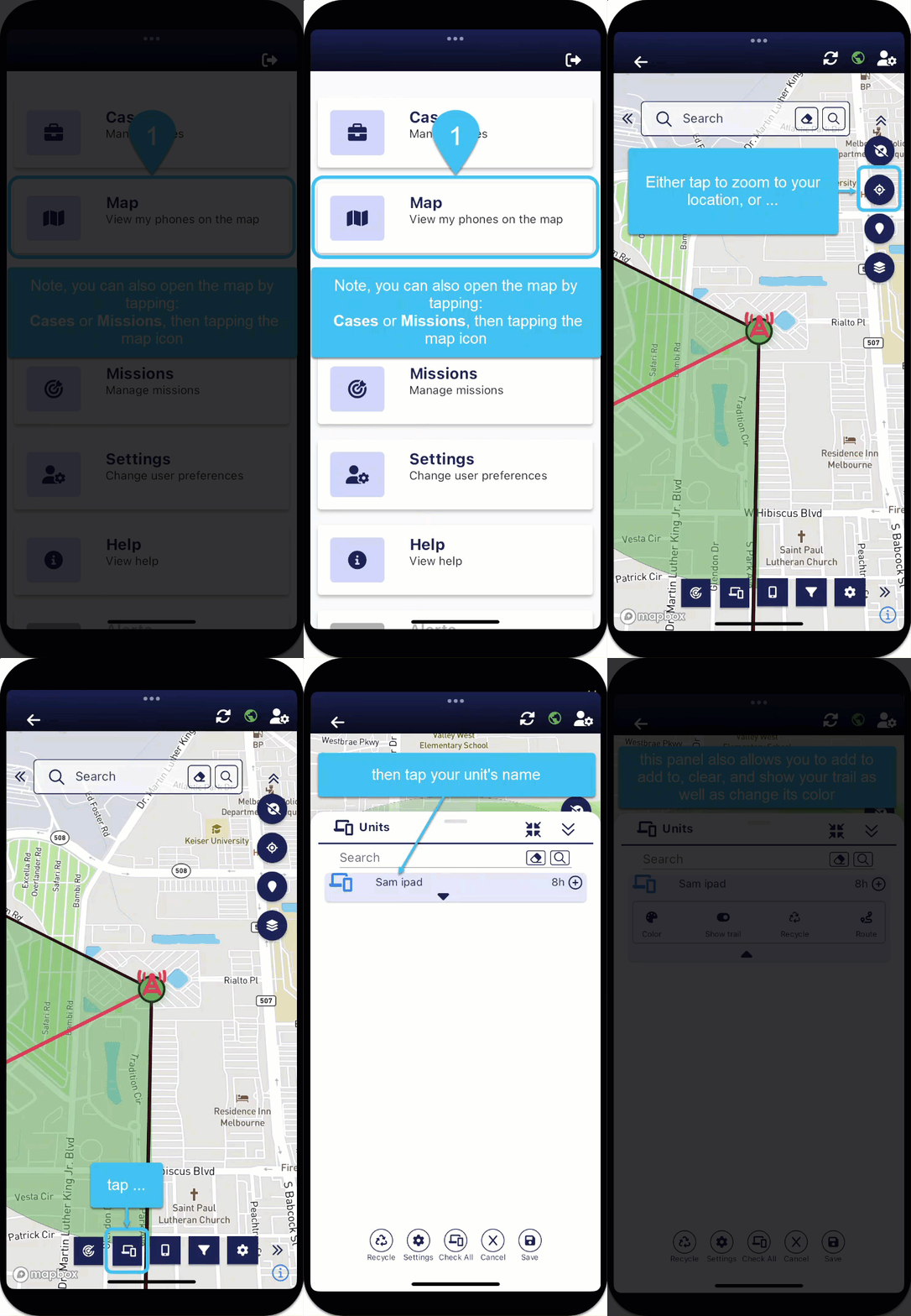
To zoom to your location and view your breadcrumb trail you can either:
-
tap
 on the right side of the map screens, or
 -
tap
 on the bottom of the map screens.
 -
For your unit, tap
 .
. -
Ensure Show trail is selected
 .
. -
From here you can also tap:
-
 to add more hours of data to the maps.
 -
 to change the color of your trail.
 -
 to remove your breadcrumb trail from the maps.
-
-
-